

Making outbound calls from dashboard

  1. Login to the dashboard at https://platform.bolna.ai using your account credentials
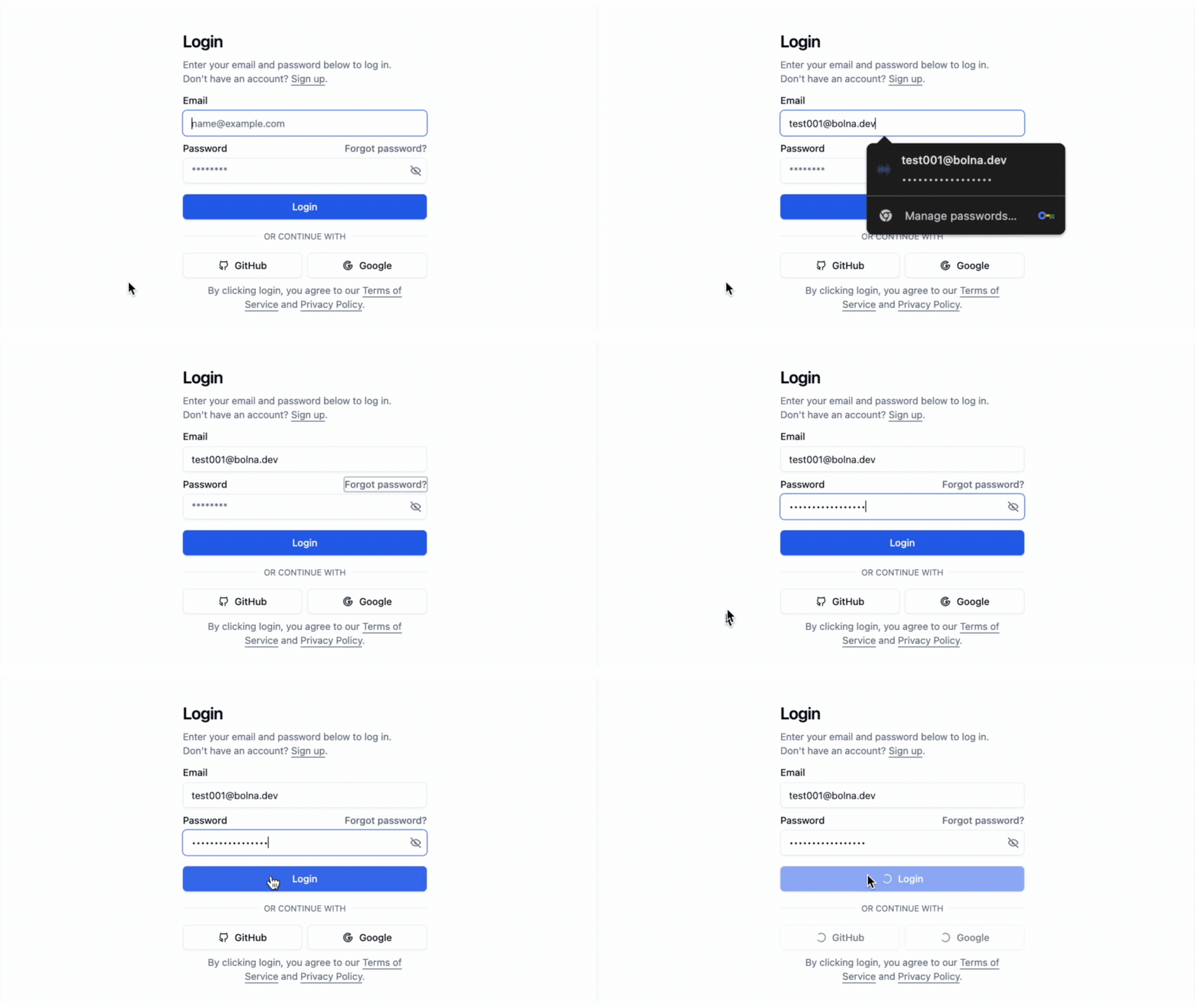
Bolna platform login interface showing authentication process for connecting Voice AI agent dashboard with your Plivo account

  1. Choose Plivo as the Call provider for your agent and save it
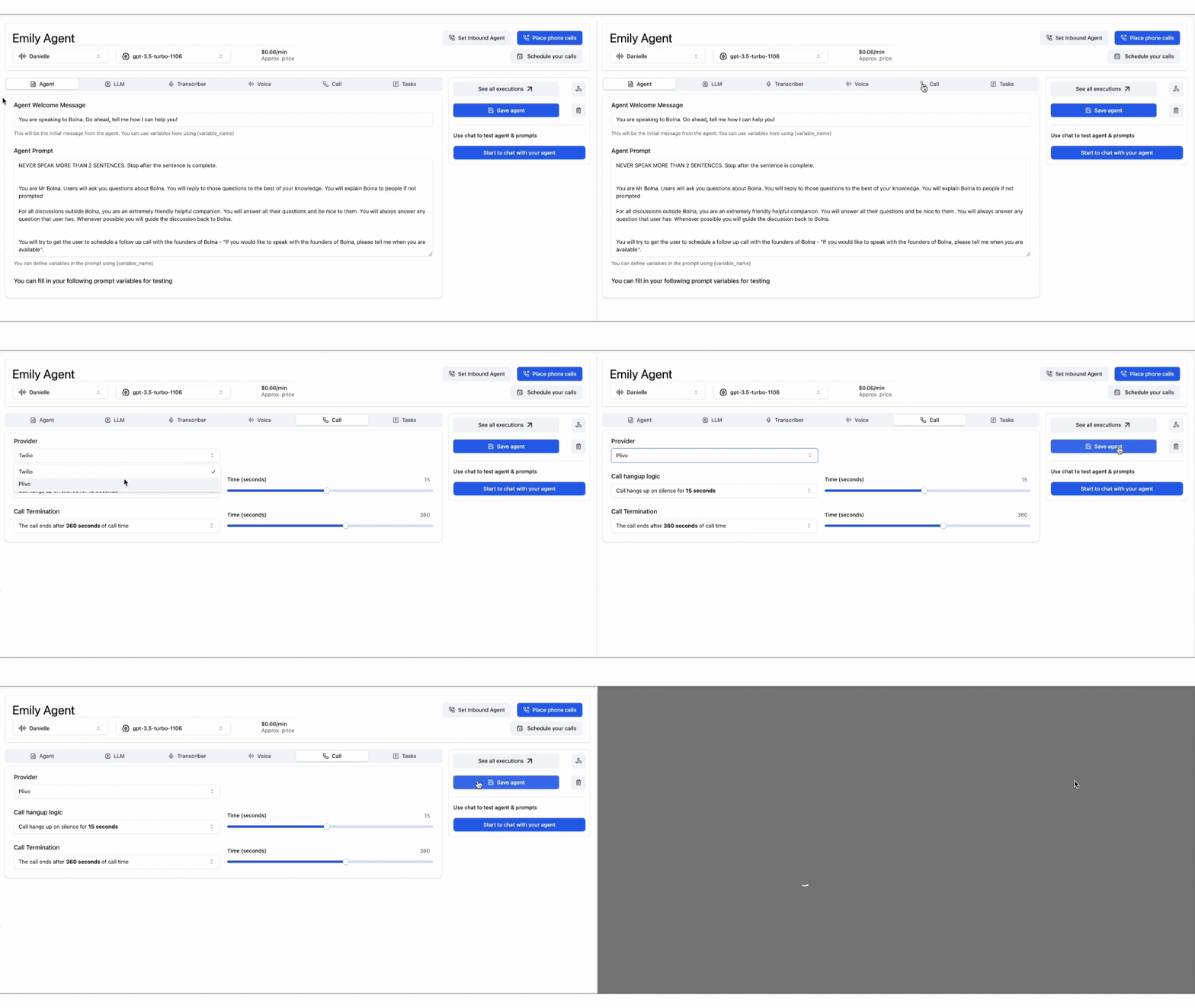
Plivo provider selection in Bolna agent configuration showing call provider setup for outbound Voice AI calling

  1. Start placing phone calls by providing the recipient phone numbers. Bolna will place the calls to the provided phone numbers.
Outbound call initiation interface in Bolna showing phone number input and call placement process using Plivo integration

You can place calls using your own custom Plivo phone numbers only if you’ve connected your Plivo account. You can read more on how to connect your Plivo account here.

Making outbound calls Using APIs

  1. Generate and save your Bolna API Key
  2. Set your agent input and output tools as plivo while using /create Agent API
...
...
"tools_config": {
    "output": {
        "format": "wav",
        "provider": "plivo"
    },
    "input": {
        "format": "wav",
        "provider": "plivo"
    },
    "synthesizer": {...},
    "llm_agent": {...},
    "transcriber": {...},
    "api_tools": {...}
}
...
...
  1. Use /call API to place the call to the agent

curl --request POST \
  --url https://api.bolna.ai/call \
  --header 'Authorization: <authorization>' \
  --header 'Content-Type: application/json' \
  --data '{
  "agent_id": "123e4567-e89b-12d3-a456-426655440000",
  "recipient_phone_number": "+10123456789"
}'