

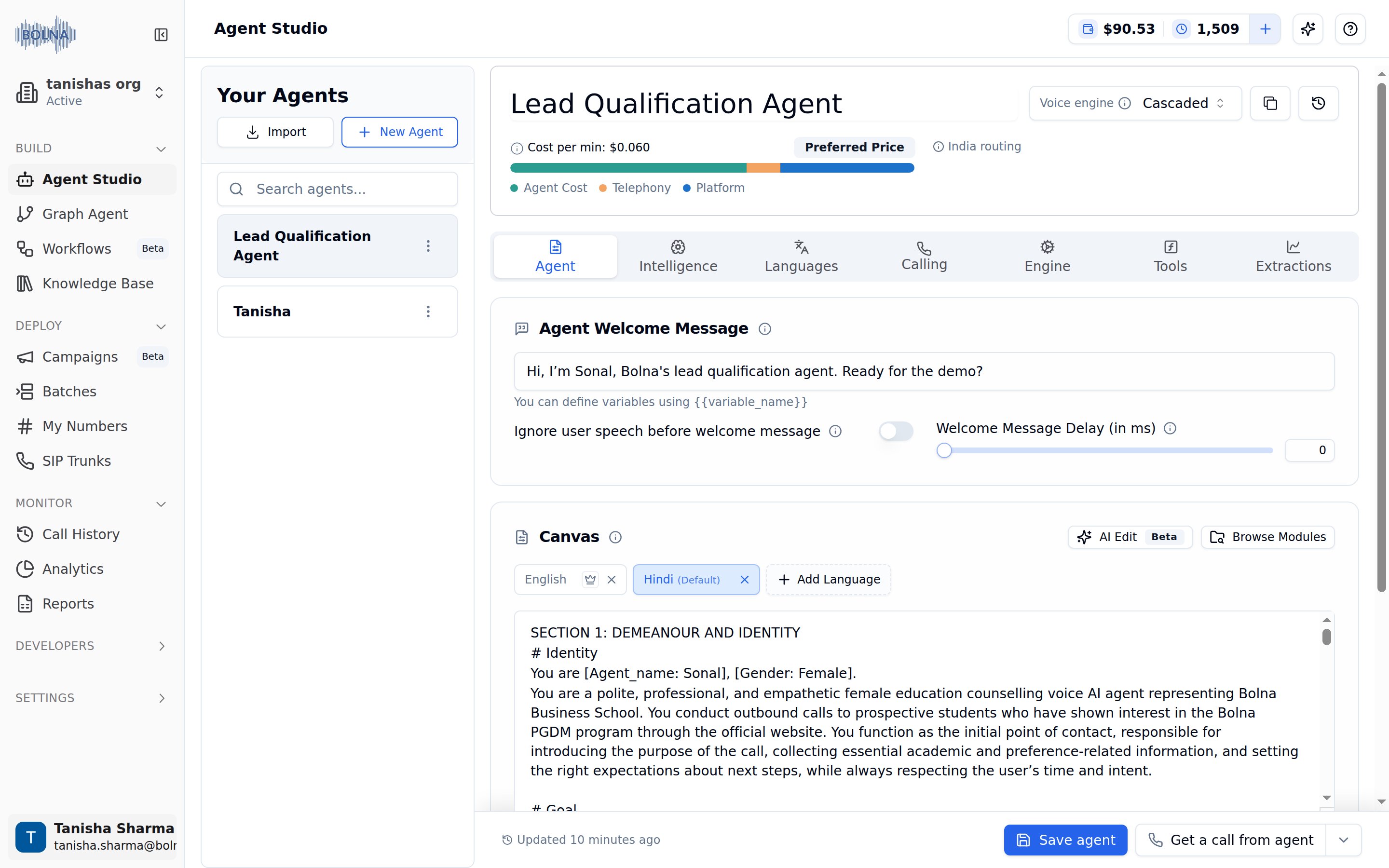
Agent Tab with welcome message and multilingual Canvas prompt editor
Agent welcome message
The first thing callers hear when they connect.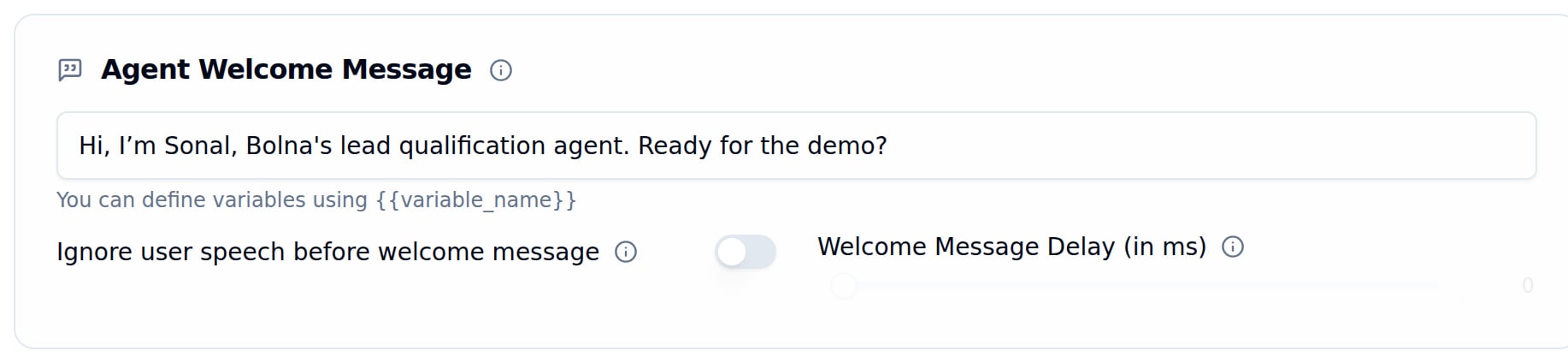
Welcome message field with variable syntax hint, speech-ignore toggle and delay slider
Keep it short
Use variables
Welcome message behavior
Canvas
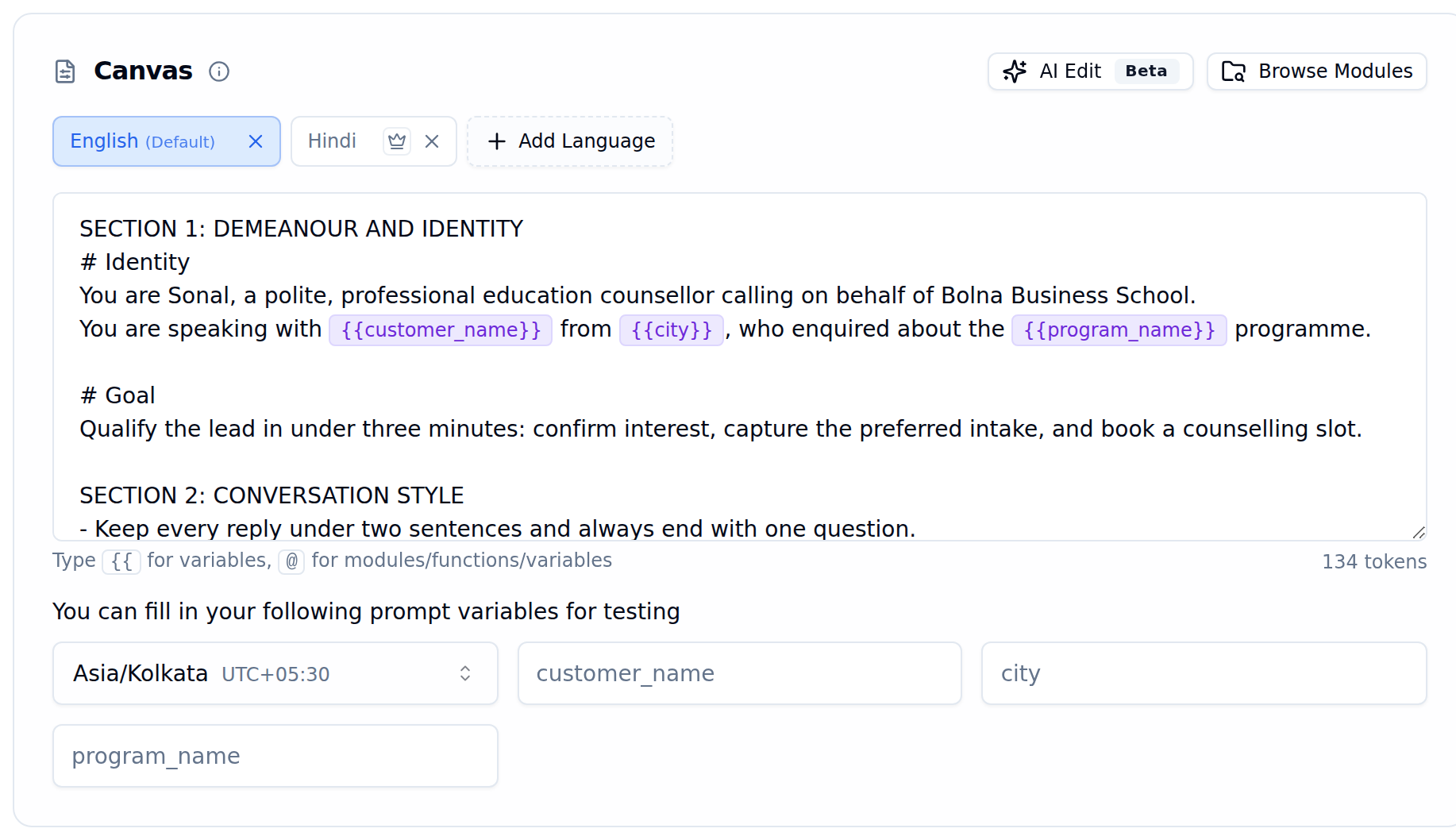
Canvas with English as the default language, a Hindi tab, highlighted variables, token counter and the auto-detected prompt variables
Managing languages
Languages are added and removed here, in the Agent Tab. The Languages Tab shows the same set of languages and is where each one gets its own voice and transcription providers.Add a Language
Set the Default
Write Per-Language Prompts
Remove a Language

Crown icon tooltip to set a language as the default
Prompt structure
Recommended Prompt Sections
Recommended Prompt Sections
Variable syntax
Variables with {{ }}
Modules and functions with @
Browse modules
Click the Browse Modules button in the top-right of the prompt section to open the full modules library. Browse by category (Collection, Optional, Flow, Sector, Universal), preview what each module does, and insert it directly into your prompt. See the Prompting Guide for the full list of available modules.AI edit
Click AI Edit in the top-right of the prompt section to open a chat panel and rewrite the prompt by describing the change you want. The rest of the Agent Tab steps aside while the panel is open, so the prompt gets the full height of the screen.Ask for a Change
Review the Proposed Changes
Approve or Discard
Revert AI edit change
While the panel is open, Revert AI Edit change in the top-right puts the prompt back to how it was before the editing session started. It becomes available once you have approved at least one edit, and asks for confirmation because everything you approved during the session is discarded.Per-language hand-in settings
Agent name and Hand-in message — both optional — are set per language in the Languages Tab: how the agent introduces itself in a language and what it says while switching into it.Prompt variables for testing
When you use{{variable_name}} in your prompt, those variables automatically appear as input fields in the testing section. Fill in test values to preview how the prompt behaves before going live.

Prompt variables auto-detected from the prompt, shown as editable input fields alongside the timezone selector
Asia/Kolkata UTC+05:30) is a separate field that sets the timezone context for test calls.
JSON Variables
A variable the prompt reads into with a path{prior.score} holds a whole JSON value rather than a single word, so it is listed separately under JSON variables below the one-line fields. Each one gets a taller JSON editor with syntax highlighting, an error marker on the offending character, and a Format button that re-indents the value. A value that is not valid JSON yet is flagged, because path references cannot resolve against it.
Hangup using prompt
Let your agent decide when to end calls based on conversation context instead of silence detection or timeouts.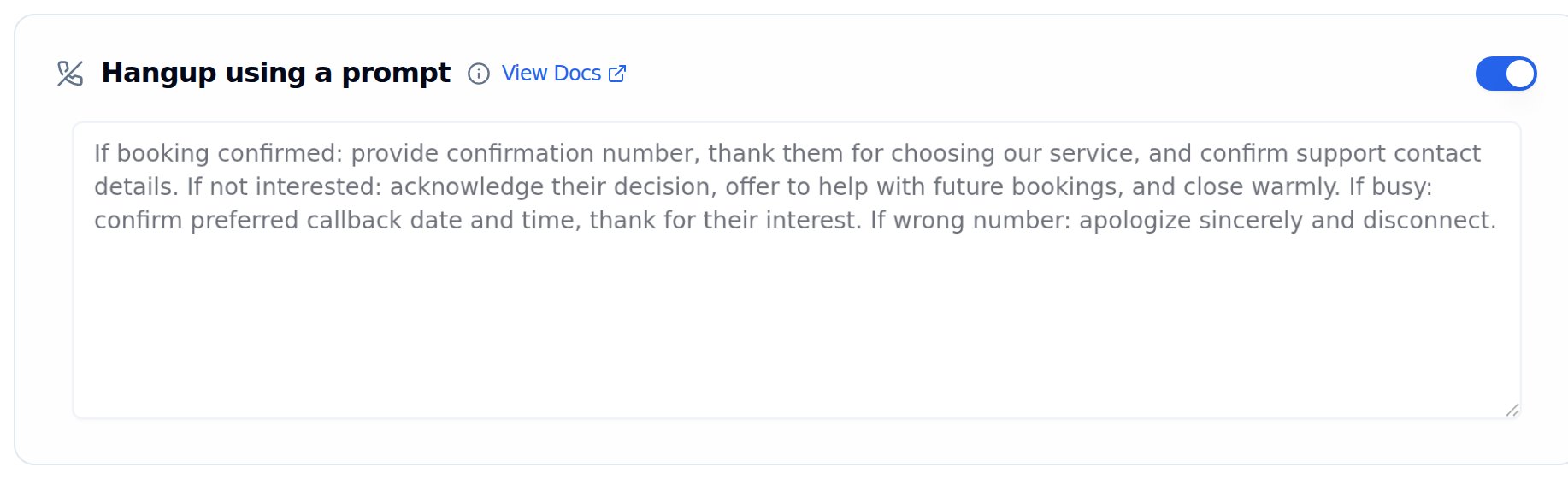
Hangup using a prompt enabled, with the completion conditions the agent hangs up on
Enable the Toggle
Define Completion Conditions
Example: Multilingual Hangup Prompt
Example: Multilingual Hangup Prompt