

User online check
Call hangup
Tool call wait
How detection works
1
Conversation Begins
The agent starts in the primary language configured in the Languages Tab.
2
The Agent Switches Language
Bolna’s language-switching engine decides, turn by turn, whether the caller has genuinely moved to a different configured language. See How Language Switching Works for exactly what triggers this.
3
System Messages Follow
These system messages simply follow whatever language the agent is currently speaking — when it switches mid-call, they switch with it too, near-instantly, falling back to English if a variant is missing.
There’s no separate detection pass for system messages — they always match the agent’s current active language.
Supported message types
User online check message
When the agent checks if a caller is still on the line after a period of silence, it sends a configurable message. Under Engine → User Online Detection, click a language chip to add a variant per language and Bolna picks the right one automatically.
Multilingual user online check messages with Hindi and English language chips
Call hangup message
When the agent ends a call, it delivers a closing message. Under Engine → Final Call Message, configure multilingual variants so callers hear a natural farewell in their language.
Final Call Message with a per-language chip in the Engine tab
Function tool call messages
When the agent executes a tool or API call, it plays a brief “please wait” message. This message can also be configured per language: in the Tools tab, under Add a Custom Tool, click Write manually and turnpre_call_message into an object keyed by language code.
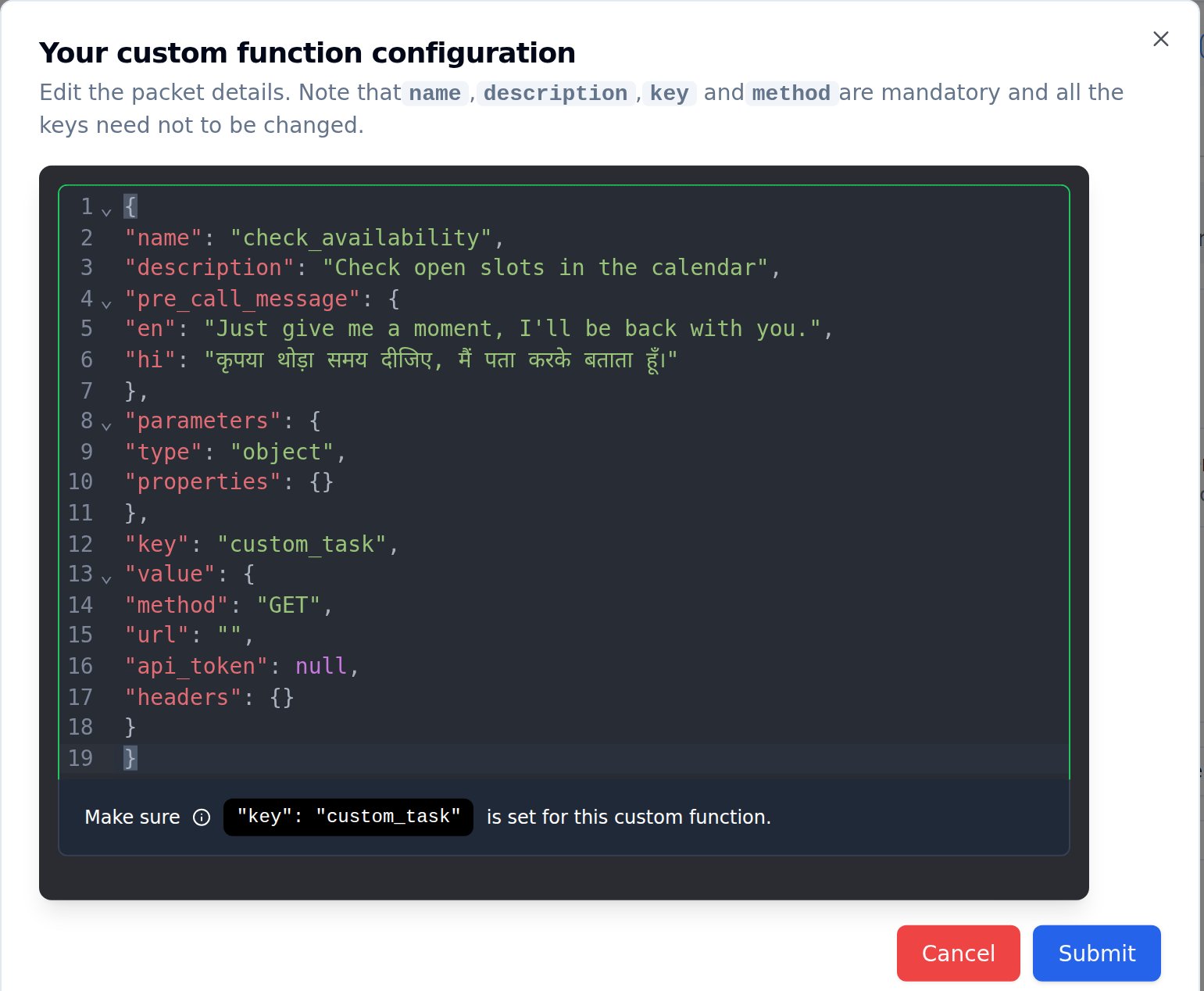
Multilingual pre-call messages for custom function tools in English and Hindi