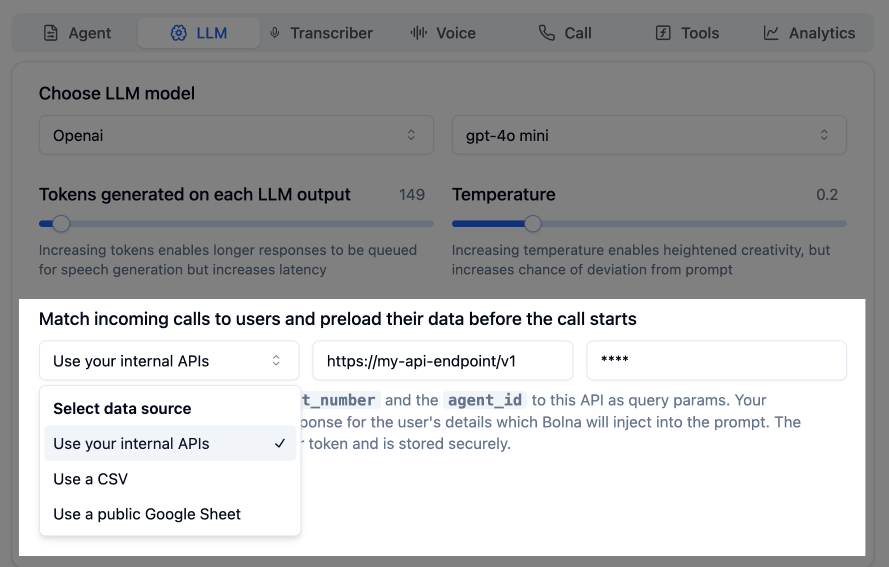
Link your inbound phone numbers to custom data sources. When a call comes in, your Bolna Voice AI agent automatically identifies the caller, matches their number, and pulls in relevant details like name, address, preferences, past history, or any data you provide.
Bolna Voice AI dynamically identifying and matching incoming callers
This data is seamlessly injected into the agent’s prompt, making every interaction personalized and contextual.
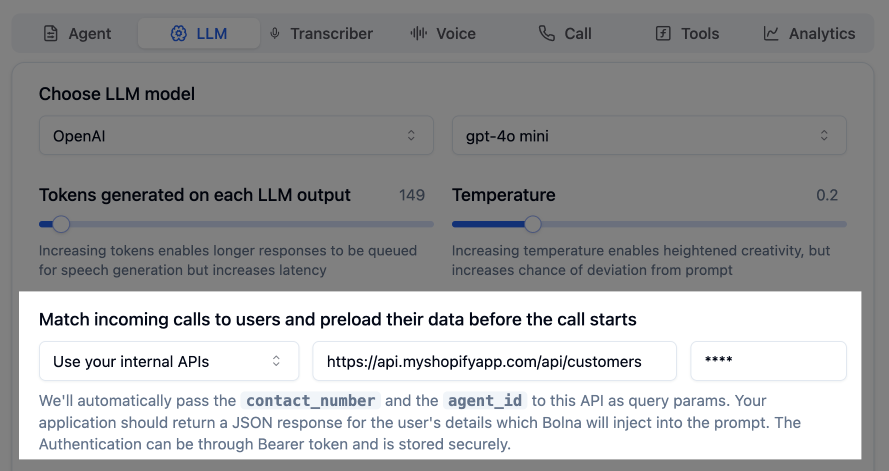
Best for: Teams with existing databases or CRM systems.Provide an API endpoint that accepts the caller’s phone number. Bolna automatically sends the following parameters:
Parameter
Description
contact_number
Incoming caller’s phone number
agent_id
Agent handling the call
execution_id
Unique identifier for this call
API integration for real-time caller identification
Example request:
GET https://api.your-domain.com/api/customers?contact_number=+19876543210&agent_id=06f64cb2-...&execution_id=c4be1d0b-...
The returned JSON data is automatically merged into the AI prompt before the call begins. Each top-level key of the response becomes a variable: flat values fill {{variable}} tokens, and nested objects or arrays are reachable with dotted paths (for example {{account.balance}} or {{orders.0.status}} — see Nested JSON Variables). Make sure your prompt paths start at a top-level response key and mirror the JSON structure exactly.
The endpoint must be a GET endpoint
Supported authentication: Bearer Token
Your APIs must return a response within 3 seconds. If a request times out or takes longer, the injected data will not be available and the corresponding variables will remain empty.
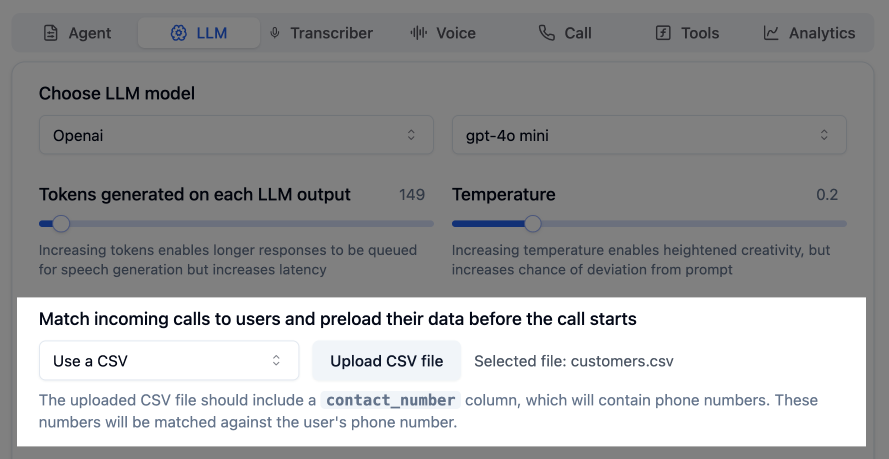
Best for: Smaller teams who prefer simple, no-code data management.Upload a CSV file with contact_number column (phone numbers with country code) and associated user info. Bolna automatically looks up the incoming number and injects matching row data into the prompt.
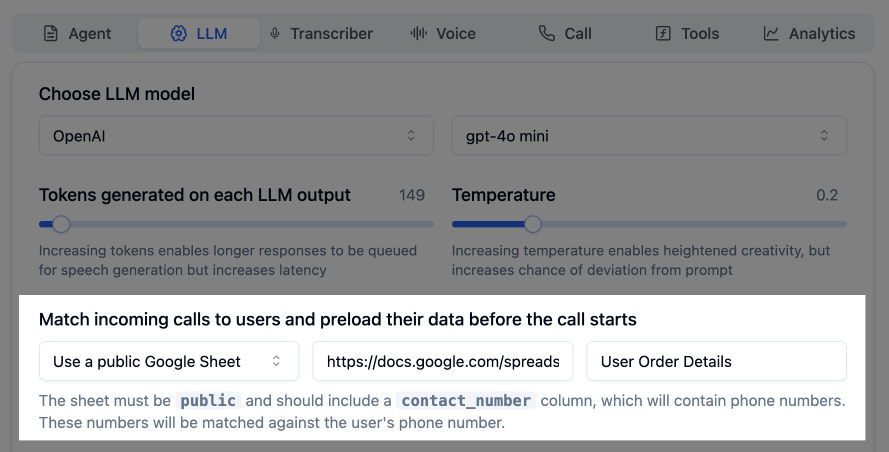
Best for: Real-time sync with spreadsheet simplicity.Link a publicly accessible Google Sheet with user data. Bolna auto-syncs and looks up the incoming number to pull the latest data. No re-uploads needed.
Google Sheets integration for real-time caller recognition
contact_number
first_name
last_name
+11231237890
Bruce
Wayne
+91012345678
Bruce
Lee
+00021000000
Satoshi
Nakamoto
+44999999007
James
Bond
Your Google Sheet can be updated at any time. Bolna agents automatically pick up the latest data in real time.