

What is book calendar slots?
The Book Calendar Slots function allows your Voice AI agent to schedule appointments directly into your Cal.com calendar during live conversations. After a caller selects a time slot, your agent can book it instantly.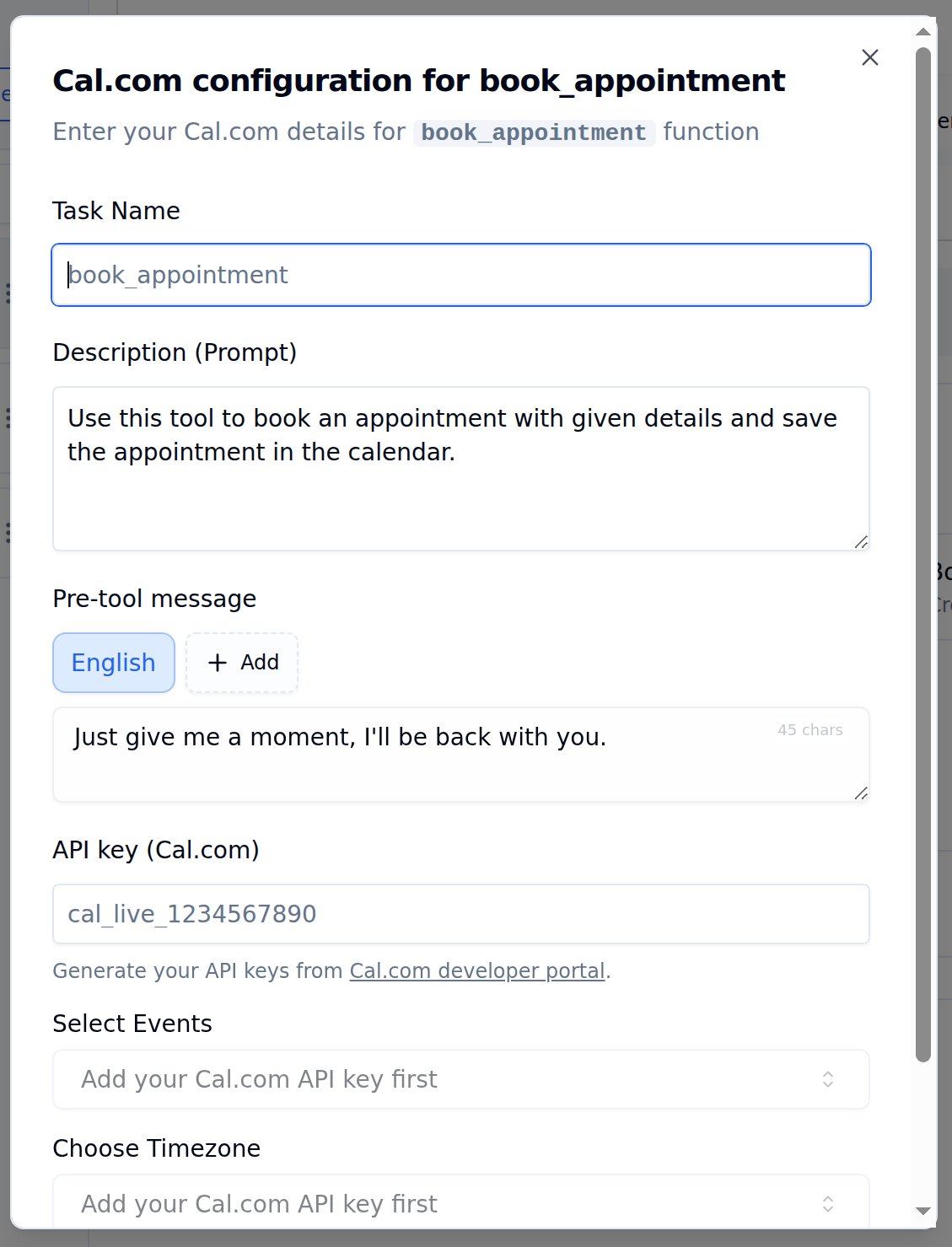
Cal.com configuration for book_appointment
Configuration options
Select Events and Choose Timezone dropdowns appear only after entering a valid Cal.com API key.
How to set up
1
Open Tools Tab
Navigate to Tools Tab in your agent configuration.
2
Add Book Appointment
Find Book Appointment in the tool catalog and click Add.
3
Enter API Key
Paste your Cal.com API key. Event types will load automatically once validated.
4
Select Event Type
Choose which event to book - 15 min meeting, 30 min meeting, or your custom events.
5
Set Timezone
Match your Cal.com event timezone for accurate booking.
6
Write Description
Add a clear trigger description - e.g., “Book the appointment after the caller confirms their preferred time slot.”
7
Save Configuration
Click Save configuration, then Save agent to persist the tool on the agent.
Example conversation
Caller confirms appointment time
Caller confirms appointment time
Caller: “I’ll take the 2 PM slot on Friday.”Agent: “Perfect! Let me book that for you. Just give me a moment…”Agent triggers book_appointment functionAgent: “Done! I’ve booked your appointment for Friday at 2 PM. You’ll receive a calendar invite shortly. Is there anything else I can help with?”