

What is the Extractions tab?
The Extractions Tab is where you configure webhooks for real-time data and post-call processing tasks. Automatically summarize conversations, extract structured data, and push execution data to your systems.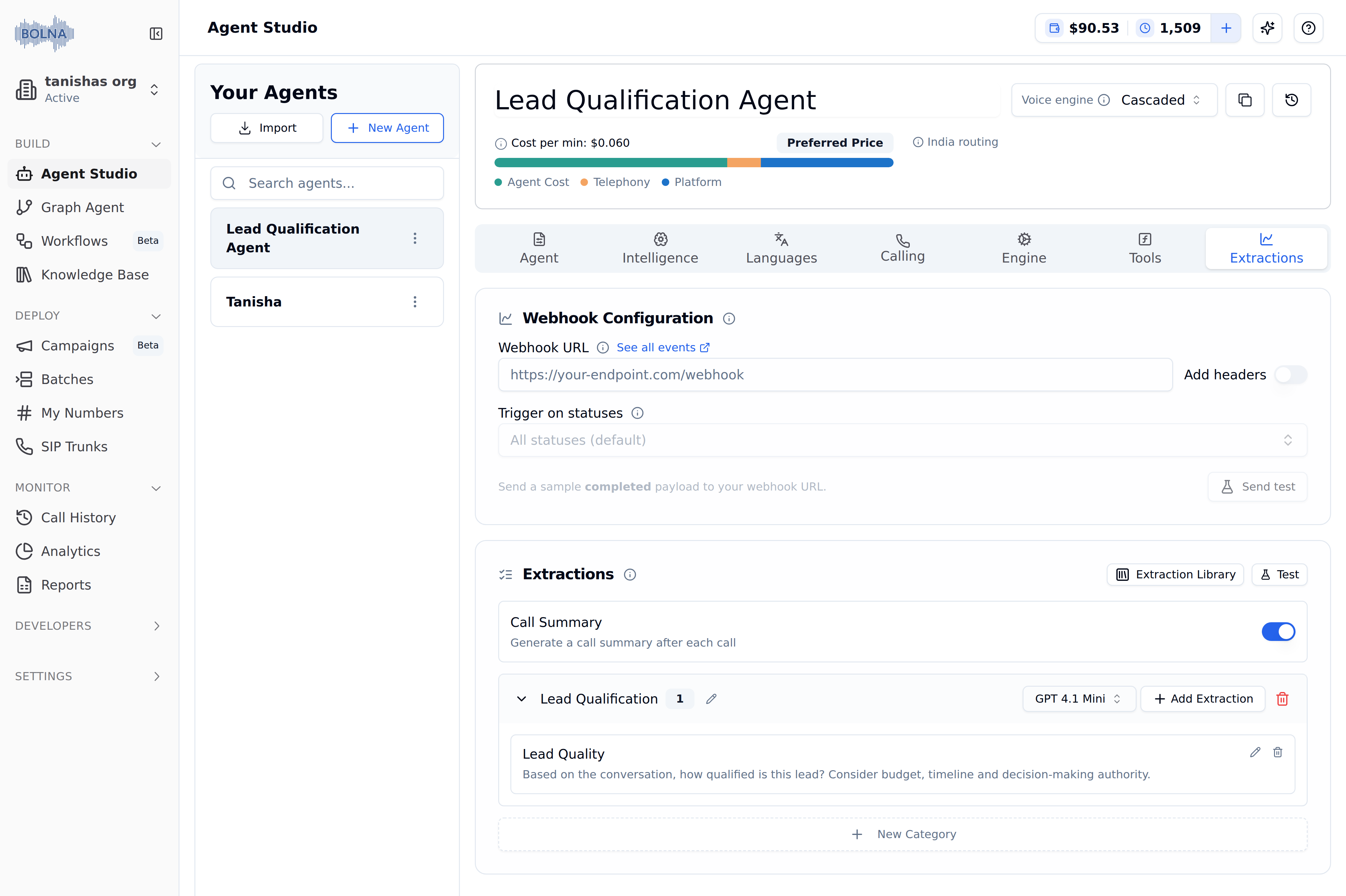
Extractions Tab with the Webhook Configuration and Extractions cards
Configuration options
Push execution data to webhook
Enter your webhook URL to automatically receive all execution data for this agent. Use Trigger on statuses to choose which execution statuses send the webhook. Leave it empty to receive every status. Turn on Add headers to send custom headers (for example an auth token) with every webhook request, and click Send test to post a samplecompleted payload to your endpoint before going live.
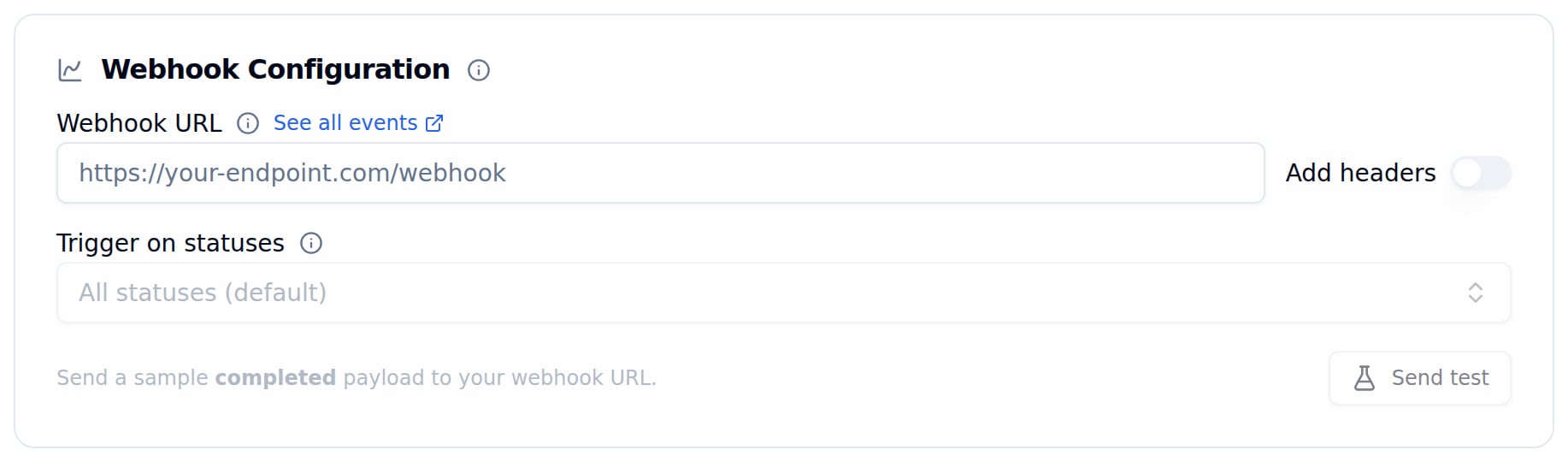
Webhook Configuration card with Add headers and Send test
Call summary
Automatically generate a summary of every conversation. Great for quick review and logging.
summary field on every execution.
Extractions
Create custom extraction templates organized by categories to automatically capture structured data from call transcripts.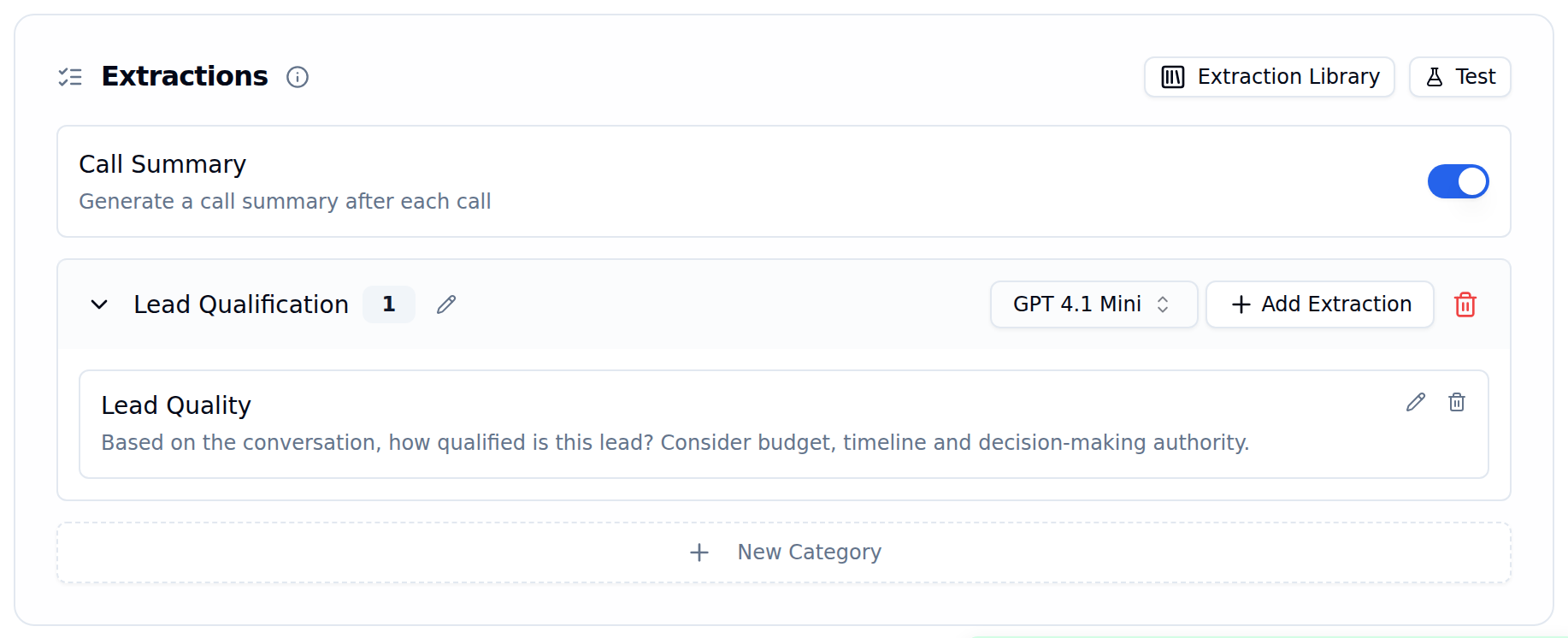
Extractions card with a category and one extraction template
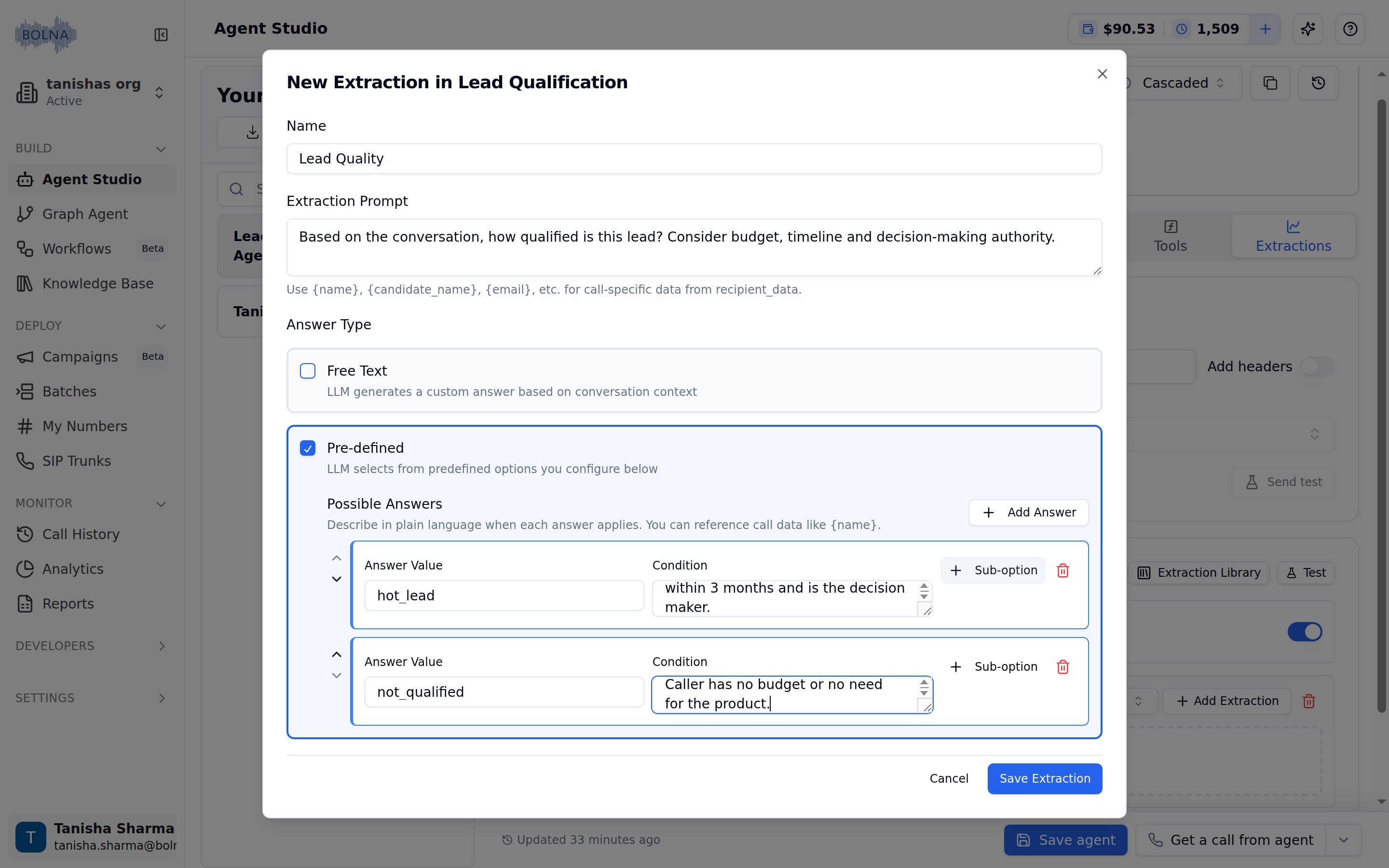
New extraction form with pre-defined answers
Key features
Categories - Organize related extractions together (e.g., “Agent Handover”, “Visit Details”, “Lead Qualification”) Extraction Templates - Define what data to capture with:- Name - Descriptive identifier (e.g., “Call Outcome”, “Customer Sentiment”)
- Extraction Prompt - Instructions guiding the LLM on what to extract
- Answer Type - Free Text (open-ended), Pre-defined (categorical options), or both
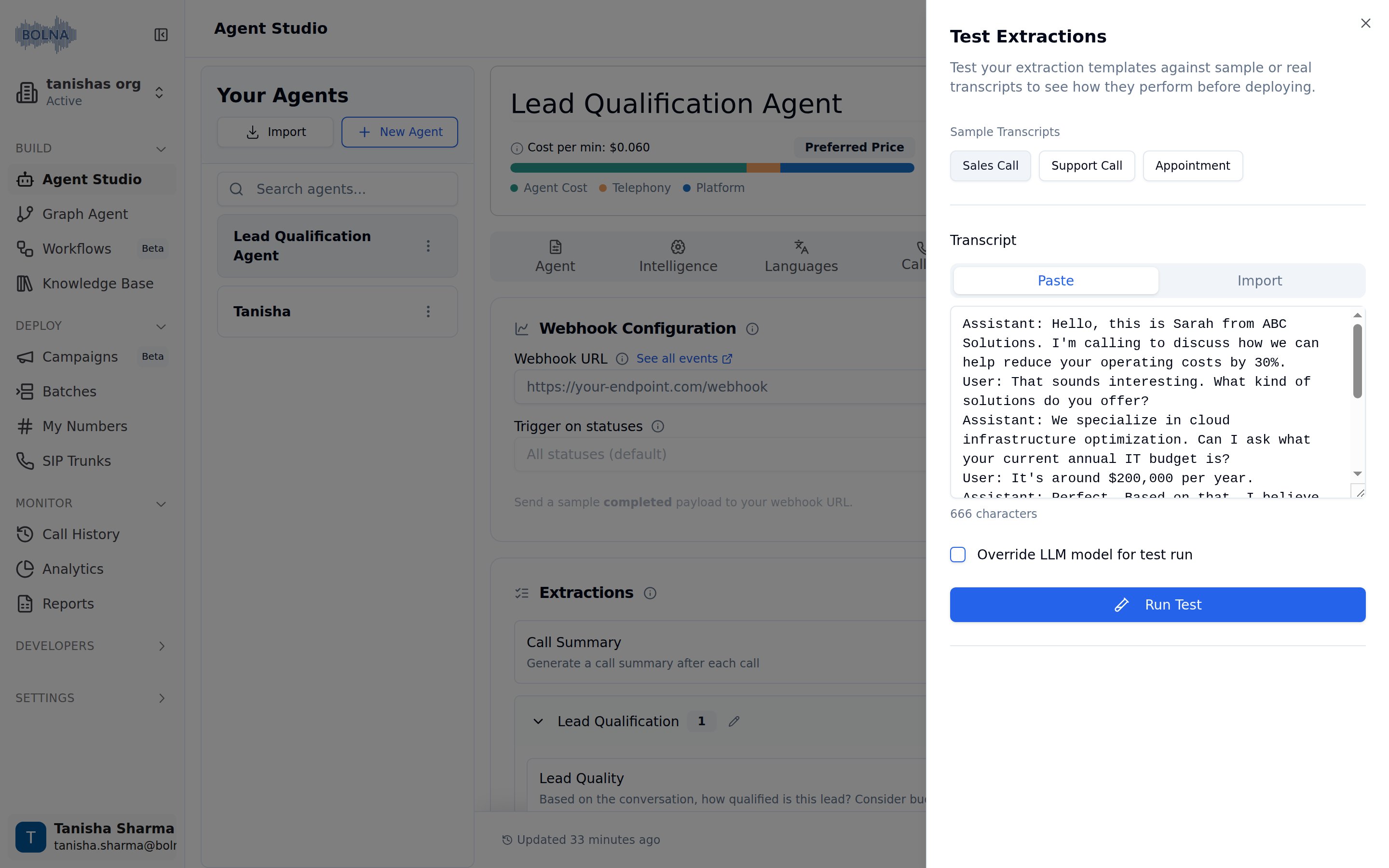
Test Extractions panel with a sample transcript loaded
Common extraction categories
Agent handover
Lead qualification
Visit details
Customer sentiment
Learn how to create and manage extraction templates, configure answer types, and test extractions in the Using Extractions guide.