

Use your own Plivo account to make outbound calls
You can connect your own Plivo account and start using it on Bolna. All calls initiated from Bolna will be from your own Plivo account and use your own Plivo phone numbers.- Navigate to
Providerstab from the left menu bar & Click Plivo connect button.
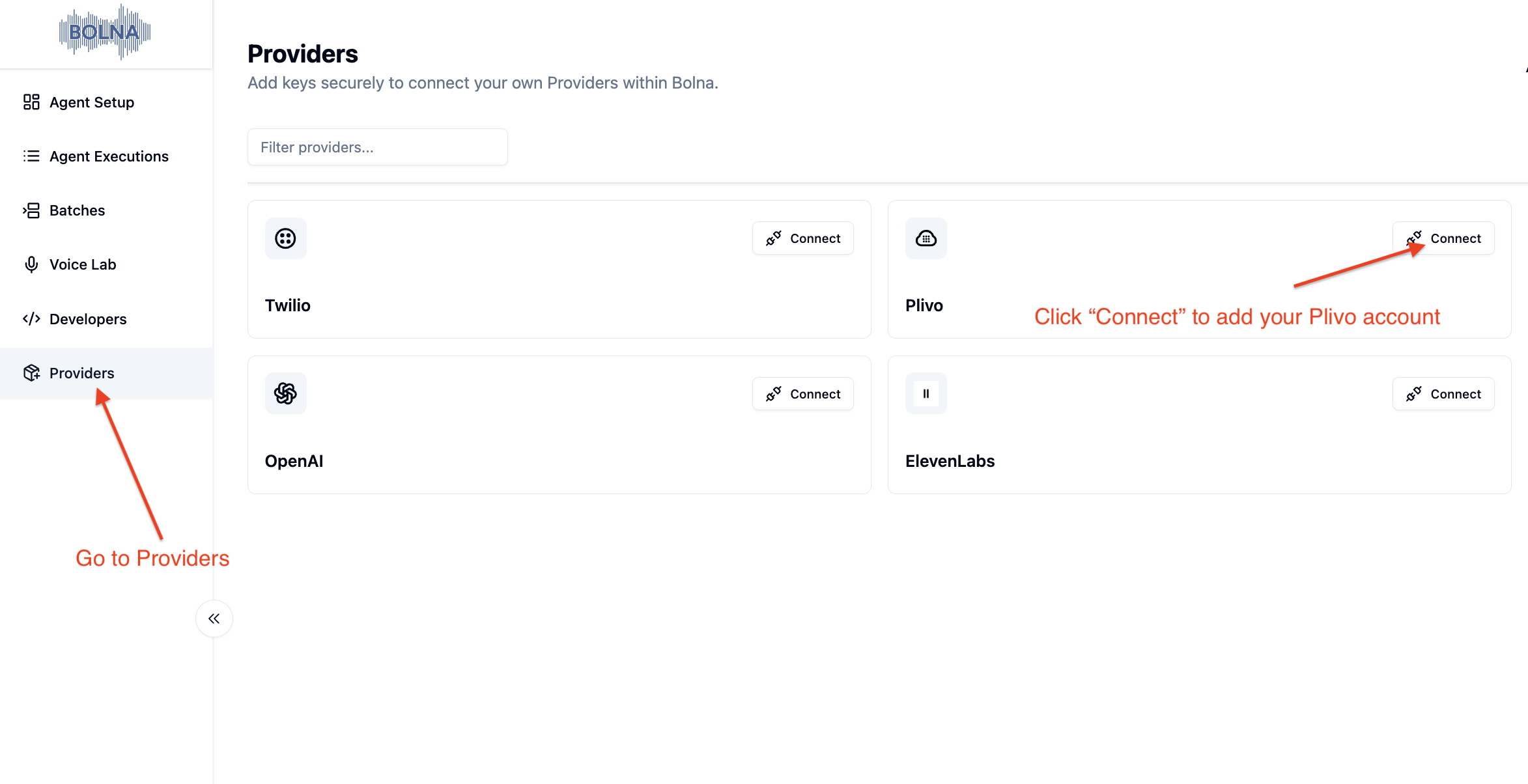
Providers page on Bolna
- Fill in the required details.
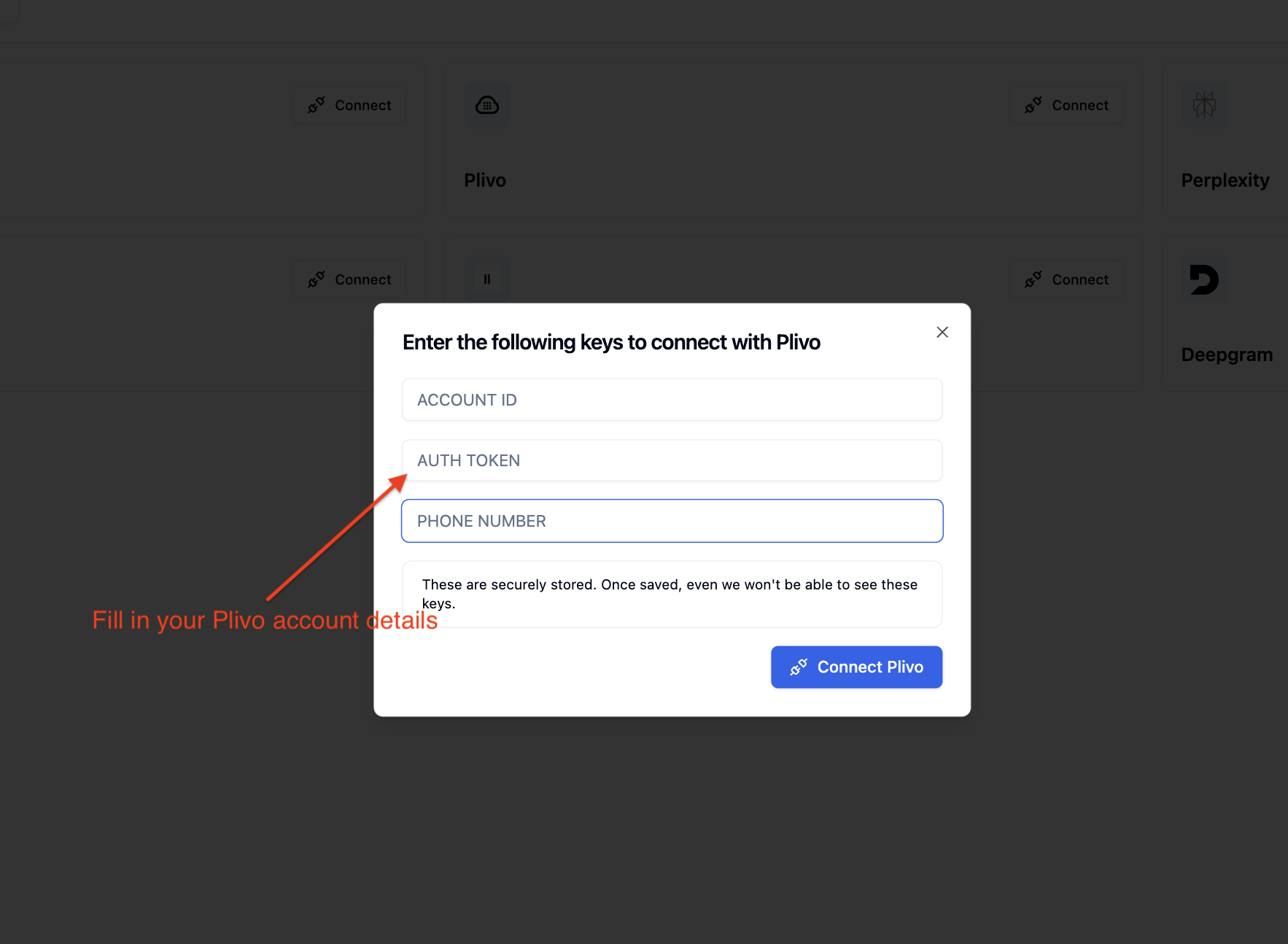
Provide Plivo details
- Save details by clicking on the connect button.
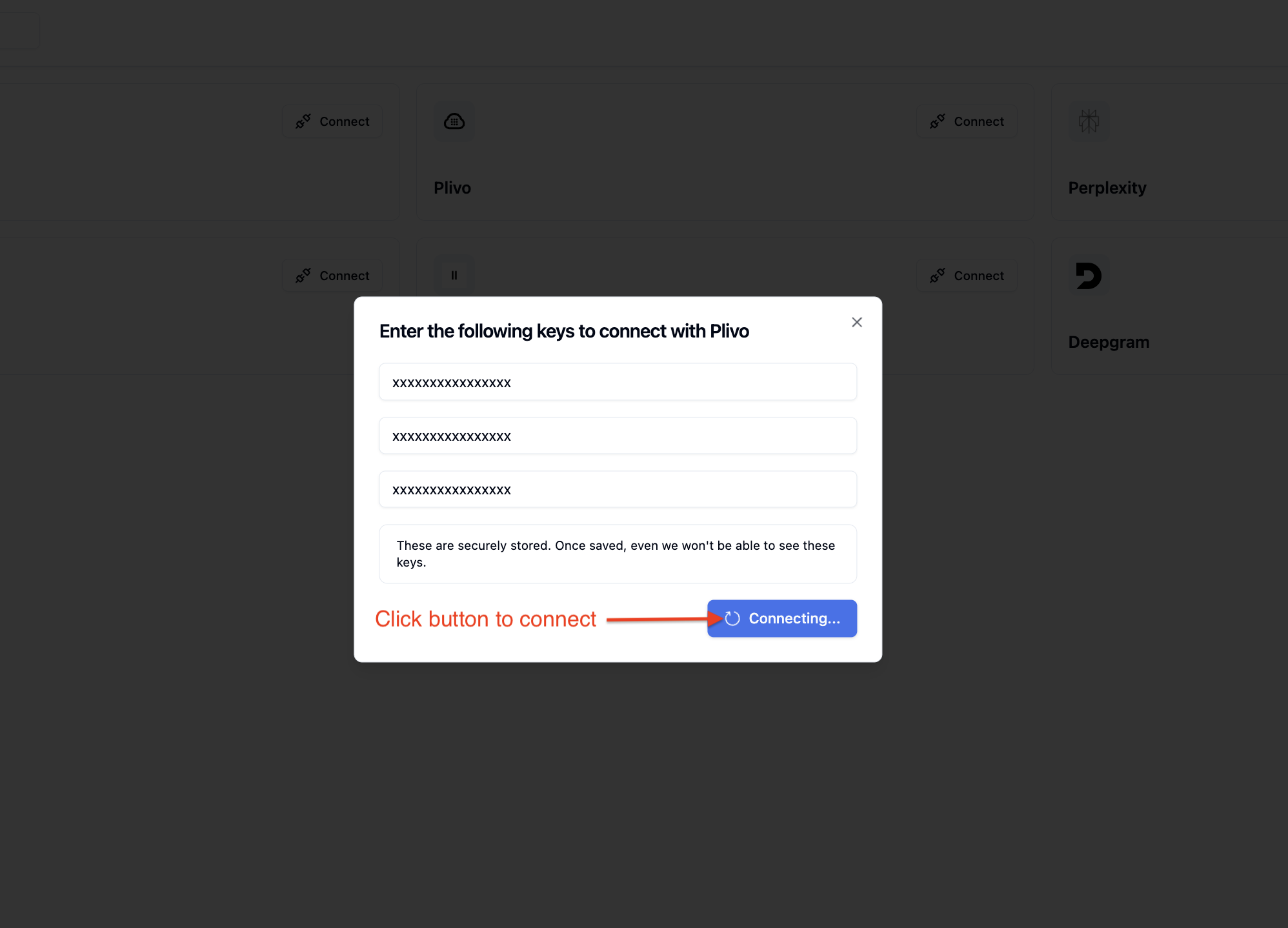
Connect your account
- You’ll see that your Plivo account was successfully connected. All your calls will now go via your own Plivo account and phone numbers.
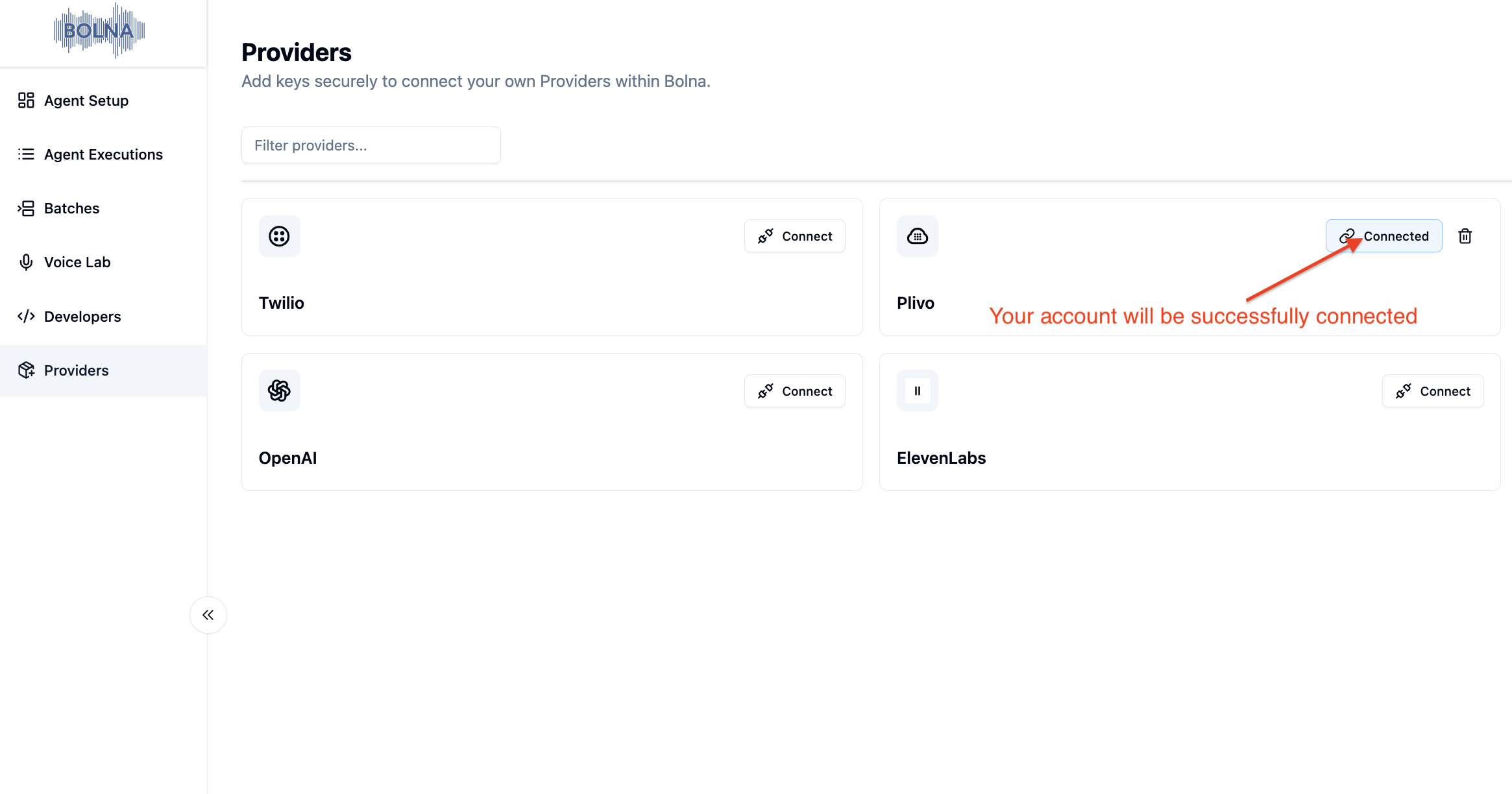
Your Plivo account is now securely connected