

What is the Calling tab?
The Calling Tab is where you configure how your agent handles phone calls. Set up your telephony provider, enable call features like noise cancellation and voicemail detection, turn on Inbound Calling for this agent, and restrict outbound calling hours.Final call message and hangup timers moved to the Engine Tab.
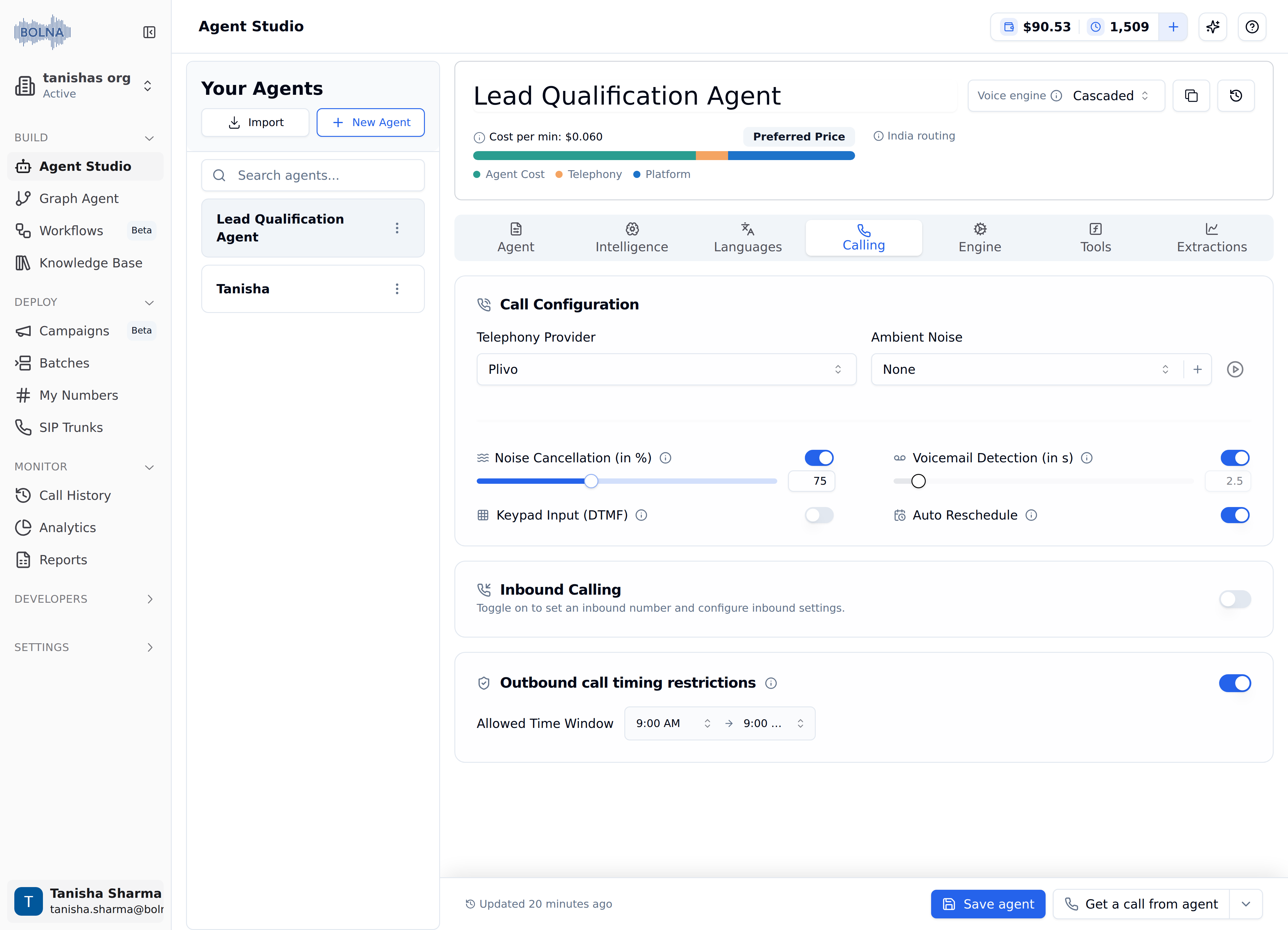
Calling Tab showing Call Configuration, Inbound Calling and Outbound call timing restrictions
Configuration options
The settings below follow the order they appear in the Call Configuration card, top to bottom, followed by the Inbound Calling and Outbound call timing restrictions cards.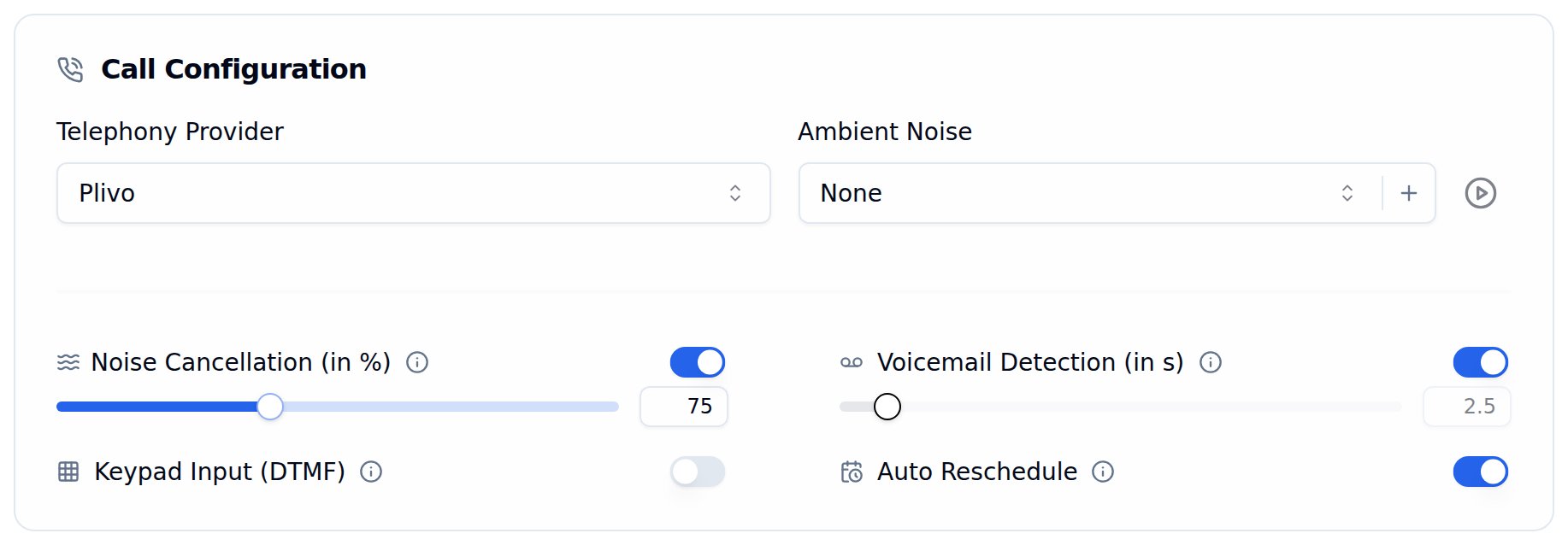
Call Configuration card with the telephony provider and call feature toggles
Telephony provider
Pick the provider this agent uses to place and receive phone calls: Twilio, Plivo, Vobiz or Exotel. Once your account has a SIP trunk, the Telephony Provider dropdown also lists SIP Trunk. If the account also has a Legacy SIP trunk (deprecated), that one is listed as SIP Trunk (previous).Ambient noise
Add background ambient noise to your calls for a more natural, human-like experience. Ambient noise is available for Plivo and Vobiz telephony providers and for SIP trunks.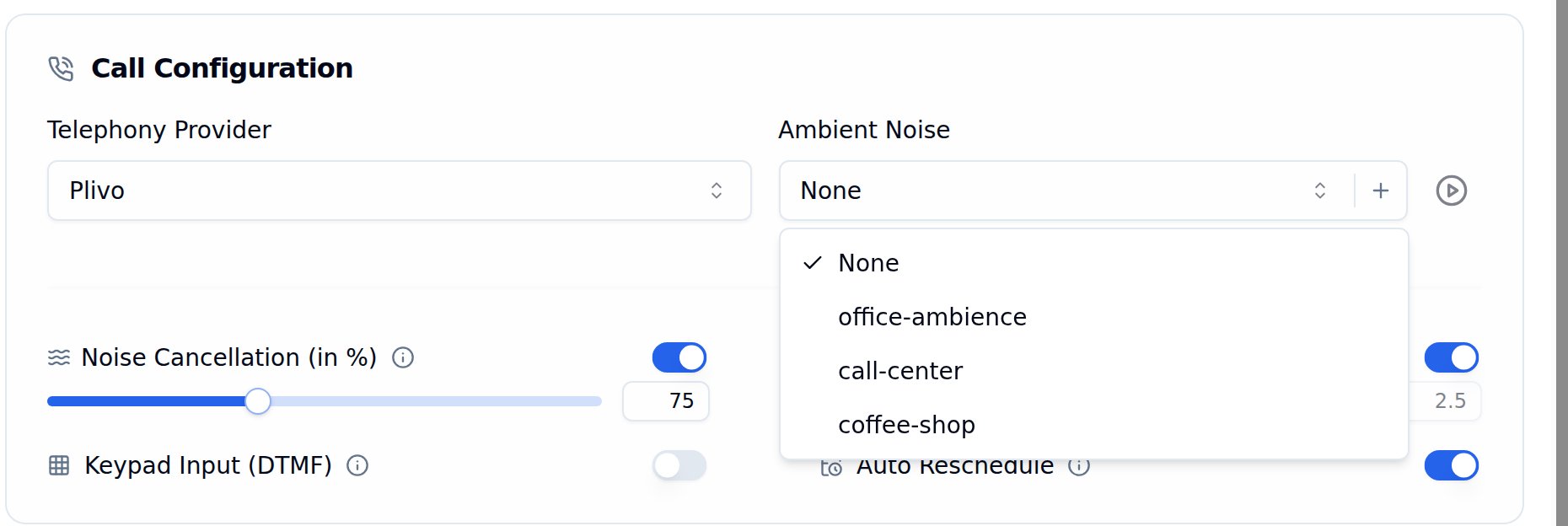
Ambient Noise dropdown listing the preset tracks
Preset Tracks
Three preset tracks are available to all users out of the box:
Set ambient noise to None to disable it (default).
Custom Tracks
Use the + button next to the dropdown to upload your own ambient noise track, and the play button to preview the selected track:- Supported formats:
wav,mp3 - Maximum file size: 10 MB
- You can upload, list, and delete your custom tracks from the dashboard or via the API
- Custom tracks are private to your account, while presets are available to everyone
Ambient noise is only supported with Plivo and Vobiz telephony providers and on SIP trunks.
Noise cancellation
Filters background noise during the conversation, so the agent hears the caller more clearly in noisy places like streets, shops or offices.- Off by default. Turning it on sets the level to 85%.
- Drag the slider to set the level anywhere from 60% to 100%.
Voicemail detection
Detects when a call is answered by a voicemail system or answering machine and disconnects the call automatically, so your agent doesn’t speak to a recording.- Off by default.
- On Twilio, you can also set how long Bolna waits to detect a machine: 2 to 10 seconds in 0.5-second steps (default 2.5 seconds). On other providers the duration field is shown but cannot be edited.
If real people are being disconnected, turn voicemail detection off for this agent. See calls failing or dropping early.
Keypad input (DTMF)
Lets the caller type digits on their phone keypad, such as an OTP, PIN or order number, and press # to submit. The digits reach the agent as text it can read and respond to.- Off by default.
- Available with Twilio, Plivo and SIP trunks. The toggle is disabled for other providers.
Prompting tips and provider details are in the DTMF (keypad input) guide.
Auto reschedule
Calls the recipient back at the time they ask for. If someone on the call says something like “I’m busy now, call me tomorrow at 4 PM”, Bolna schedules a new call to them at that time. Off by default. This is a Beta feature and is still being improved. How it works:- After the call ends, Bolna reads the transcript to find the date and time the recipient asked to be called back.
- If a valid time is found, a new call is scheduled to the same phone number with the same agent, caller number and call details. It shows up with the
scheduledstatus, and the original call’srescheduled_atfield is set to the callback time. - If no callback time was discussed, nothing is scheduled.
- The recipient never spoke during the call
- The requested time is in the past or more than 14 days away
- The requested time falls outside your allowed calling hours. The request is dropped, not moved to the nearest allowed time. See in-call reschedule validation for how the allowed hours are decided.
Auto reschedule is not the same as retrying unanswered calls. To redial calls that end as
no-answer, busy or failed, use Auto-retry.Inbound calling
Inbound settings live inside the Calling tab. Toggle on Inbound Calling to assign an inbound number to this agent, match callers against a database, and set spam limits.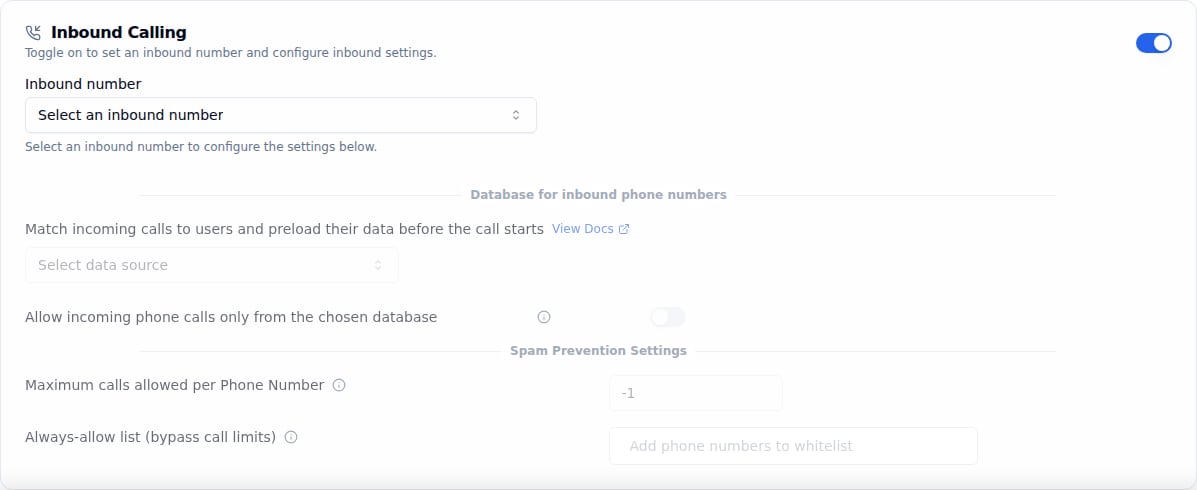
Inbound Calling section toggled on
The full walkthrough is in Inbound Calling settings.
Outbound call timing restrictions
Restrict outbound calls to a specific time window. This is off by default. Toggle it on to set an allowed calling window.
Outbound call timing restrictions toggled on with an allowed time window
The time window is validated against the recipient’s local timezone, detected automatically from their phone number. For example, a 9 AM start means 9 AM in the recipient’s timezone, not yours.
You can also configure call timing restrictions via the API and bypass them for urgent calls. See the full Calling Guardrails guide for details.