Adding your Knowledgebase
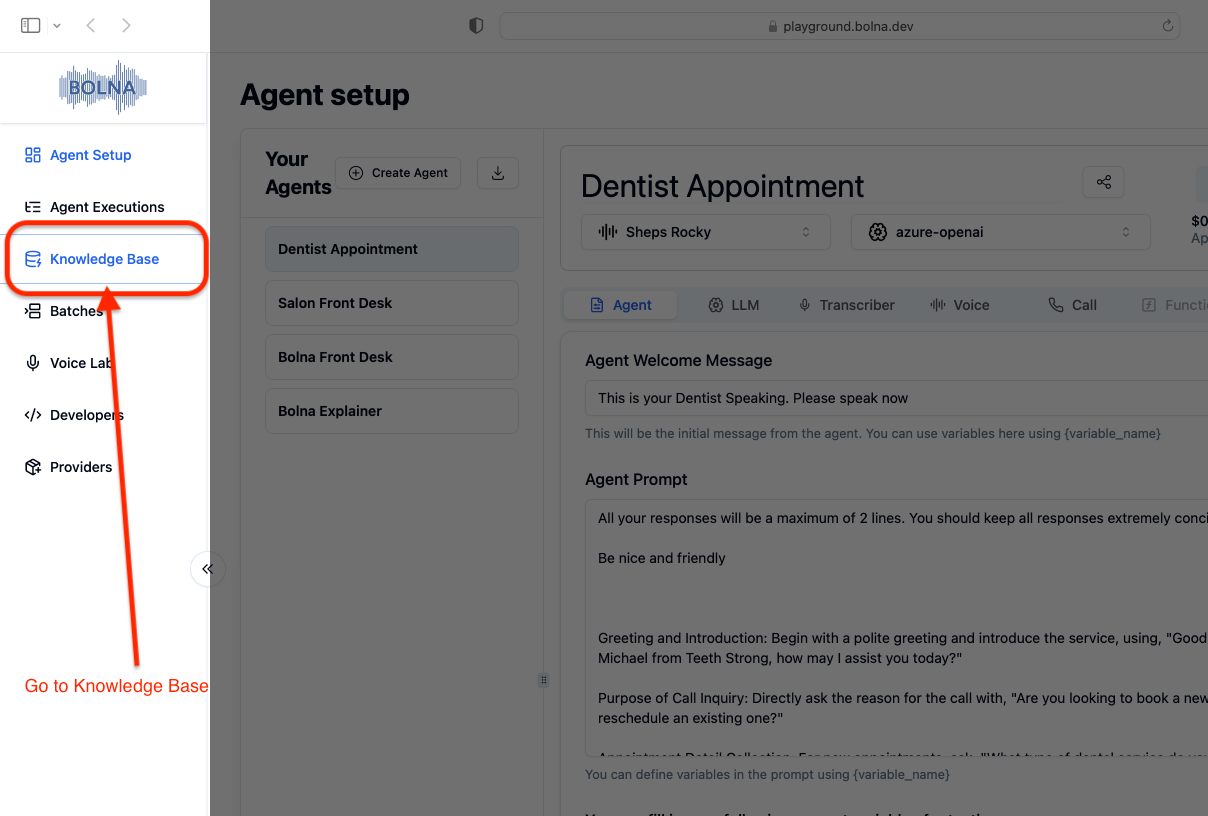
You can add knowledgebases from two sources: PDF files or URLs (websites).- Navigate to Knowledge base tab from the left menu bar after login
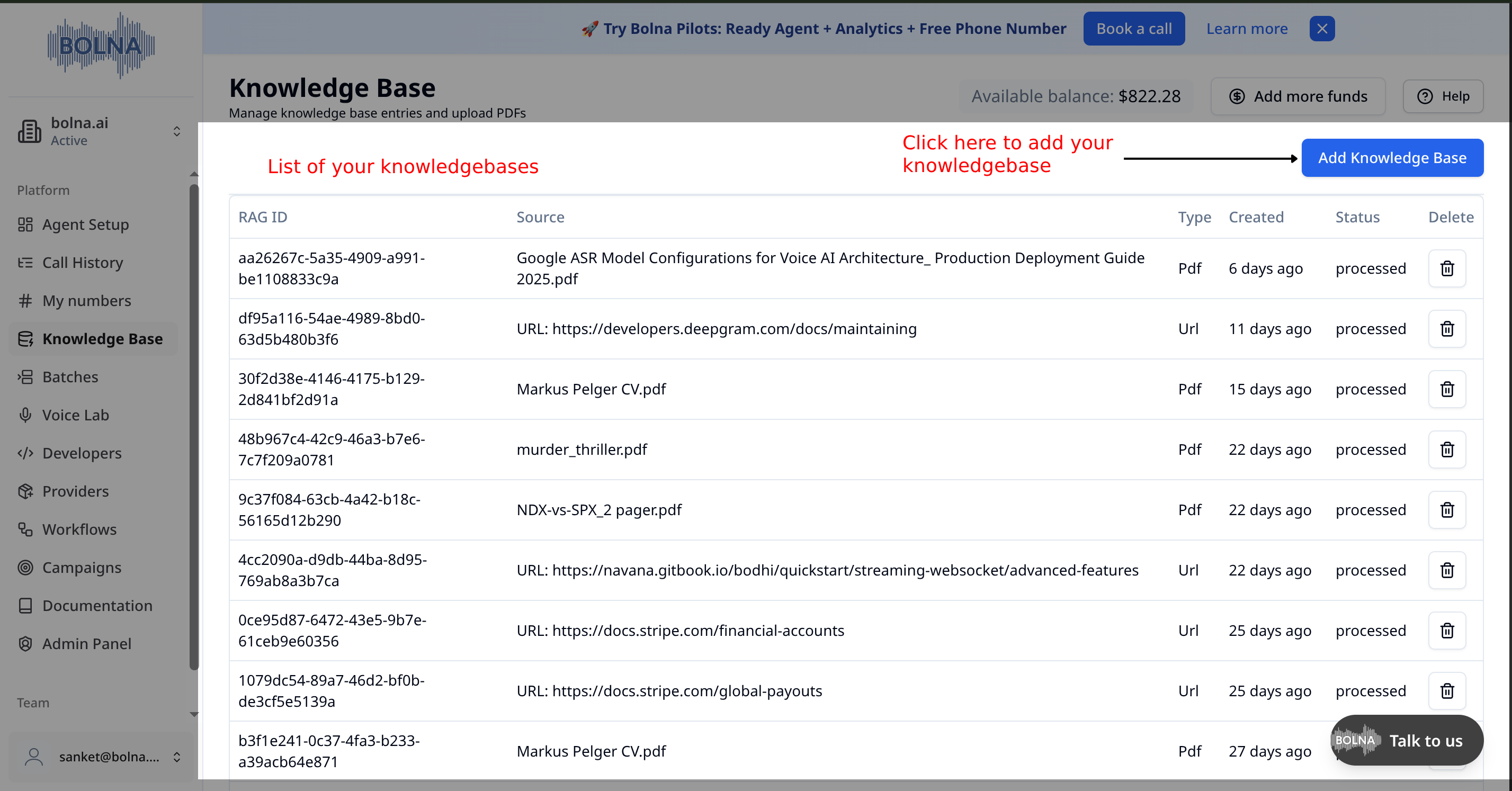
- Click the
Add Knowledge Basebutton to add a new knowledgebase
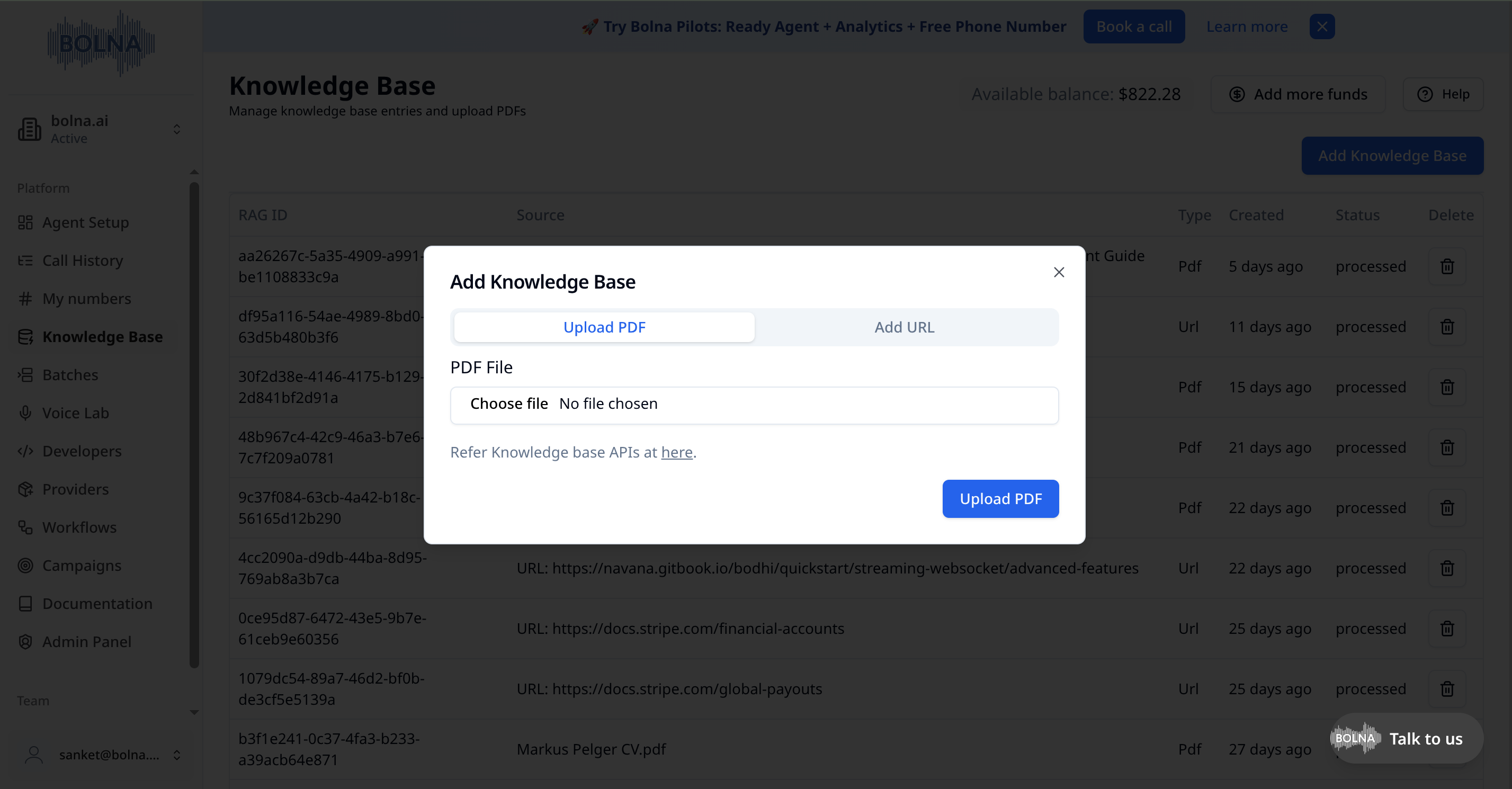
Upload PDF
- Select the
Upload PDFtab - Click
Choose fileto select your PDF file (max 20 MB) - Click
Upload PDFto start processing
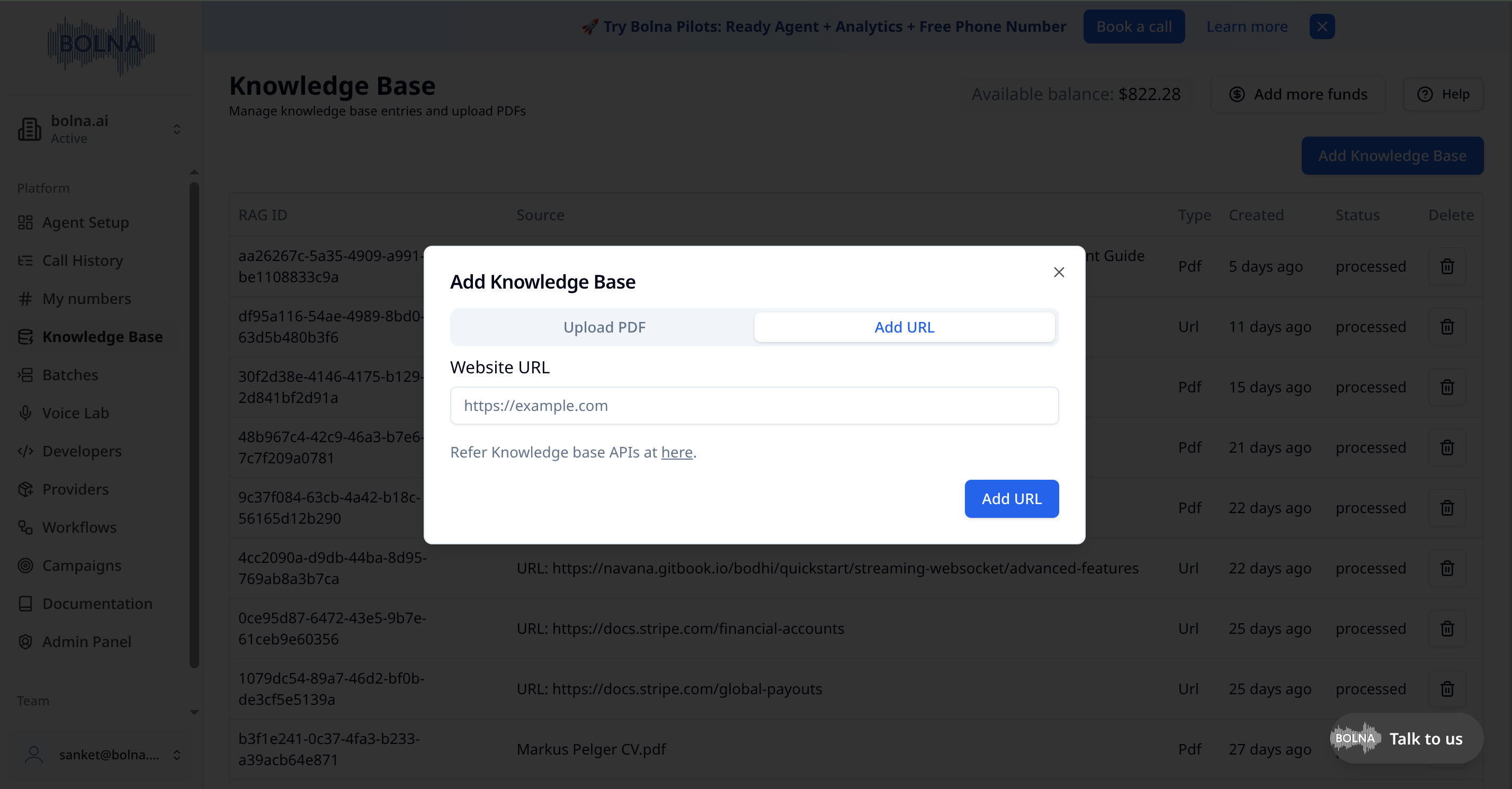
Add URL
- Select the
Add URLtab - Enter the website URL you want to ingest
- Click
Add URLto start processing
Processing Status
- Wait for a few minutes while we process your uploaded document or URL
- The status will change from
processingtoprocessedwhen complete - The
Typecolumn shows whether each knowledgebase is from a PDF or URL
Using Knowledgebases in Agents
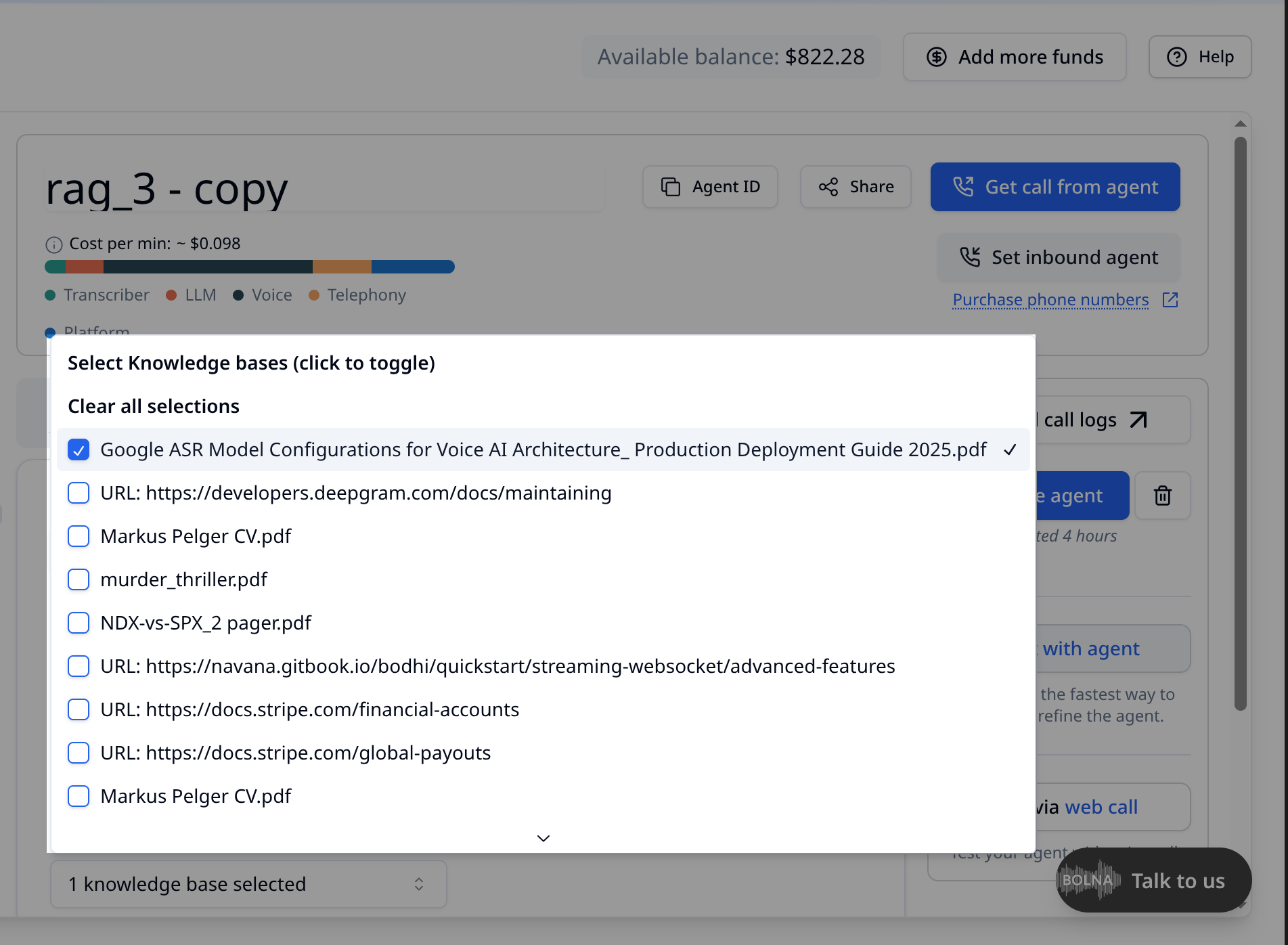
You can select one or more knowledgebases to use with your agent.- In the agent creation page, navigate to
LLM tab - Click the knowledgebase dropdown
- Use the checkboxes to select multiple knowledgebases
- The dropdown will show how many knowledgebases are selected
- Use
Clear all selectionsto reset your selection