

What is the Audio Tab?
The Audio Tab is where you configure how your agent listens and speaks. Set up language preferences, choose transcription providers for speech-to-text, and select voice synthesizers for natural-sounding responses.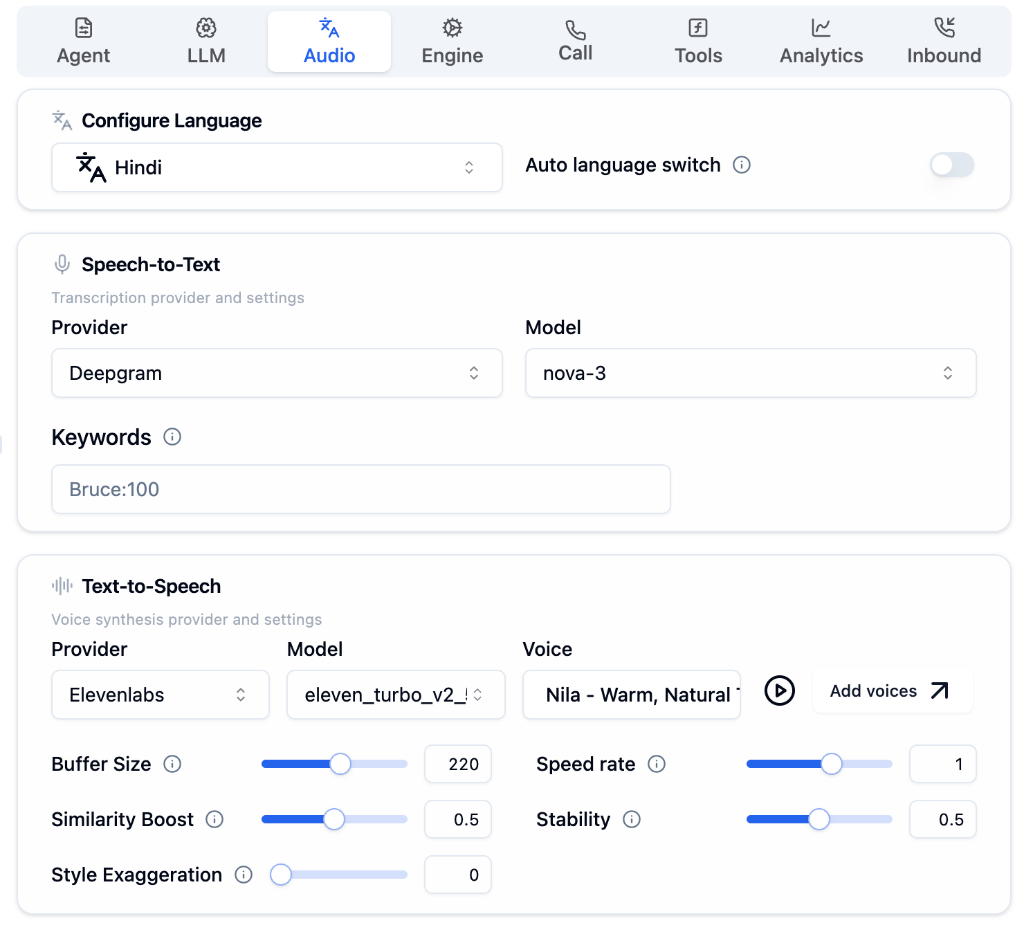
Configuration Options
Configure Language
Set your agent’s primary language and enable multilingual support.
Language Selection
Choose primary language (English, Hindi, Spanish, etc.)
Auto Language Switch
Automatically detect and switch languages during calls
Enable Auto Language Switch for multilingual support. Your agent will detect the caller’s language and respond accordingly.
Speech-to-Text (Transcription)
Configure how your agent converts spoken words into text.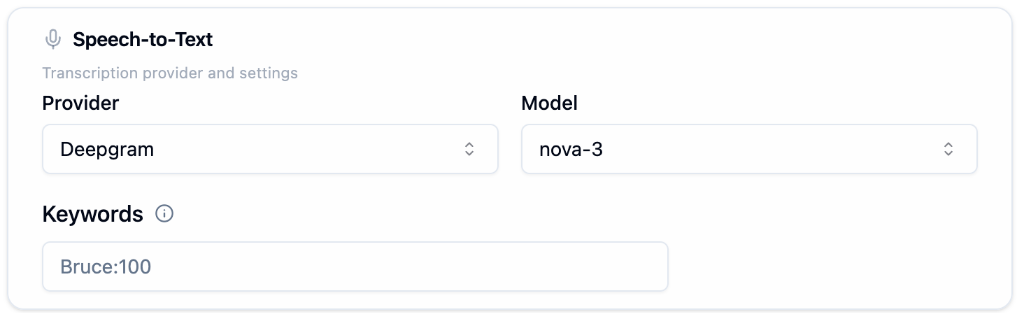
Text-to-Speech (Voice)
Configure how your agent sounds with voice synthesis settings.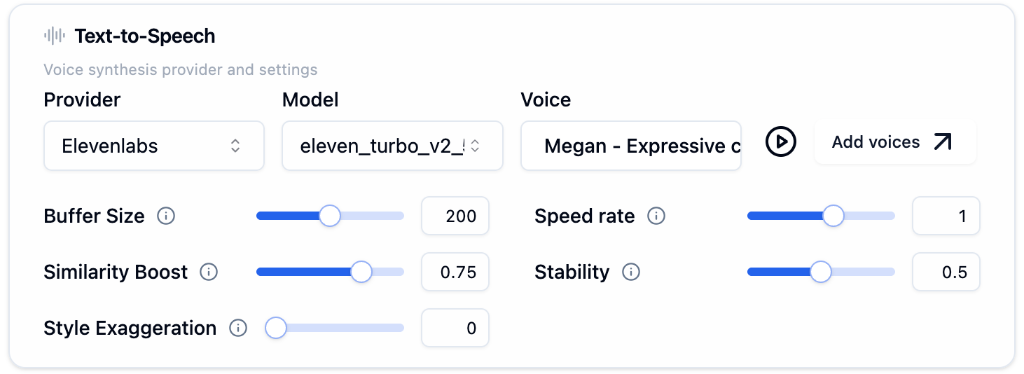
Voice Tuning
Fine-tune your agent’s voice quality with these settings.| Setting | Description | Recommended |
|---|---|---|
| Buffer Size | Audio buffering before playback | 200 (balance of quality and speed) |
| Speed Rate | Speaking speed | 1.0 (natural pace) |
| Similarity Boost | Voice matching accuracy | 0.75 (close to original voice) |
| Stability | Voice consistency | 0.5 (balanced expression) |
| Style Exaggeration | Voice characteristics | 0 (neutral, increase for expressive) |