

What is the Analytics Tab?
The Analytics Tab is where you configure webhooks for real-time data, post-call processing tasks, and custom analytics extraction. Automatically summarize conversations, extract structured data, and push execution data to your systems.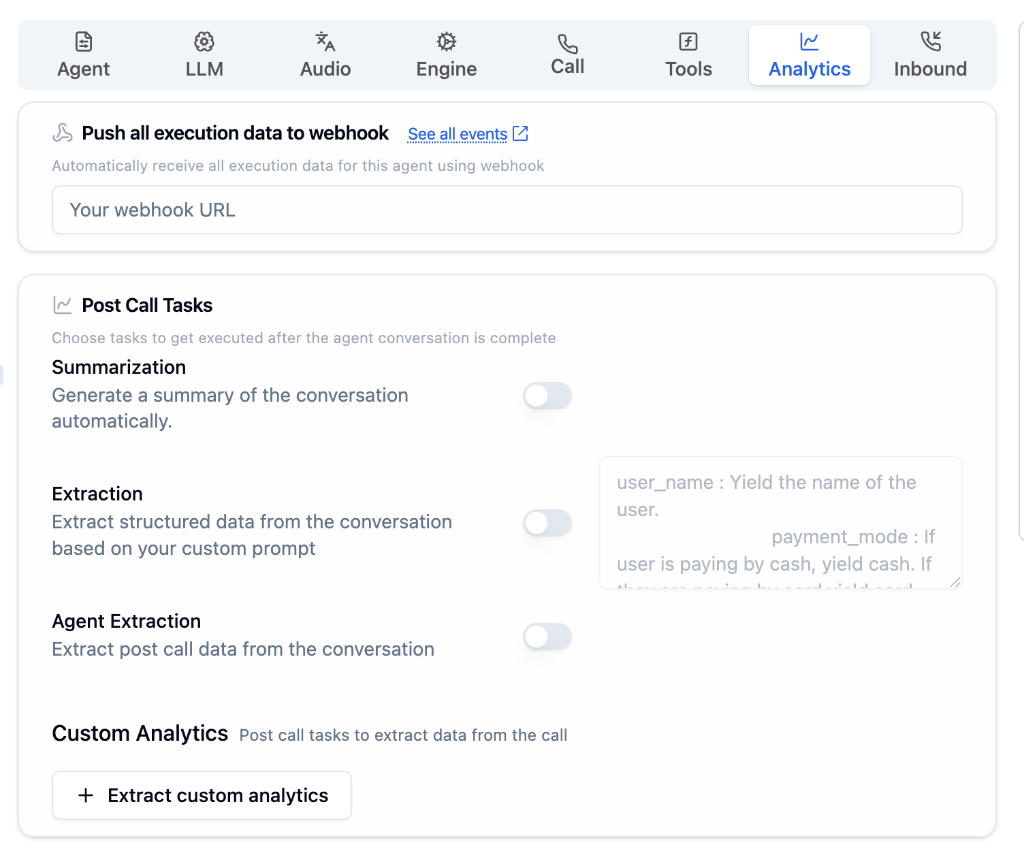
Configuration Options
Push Execution Data to Webhook
Enter your webhook URL to automatically receive all execution data for this agent.Post Call Tasks
Choose tasks to execute after the agent conversation is complete.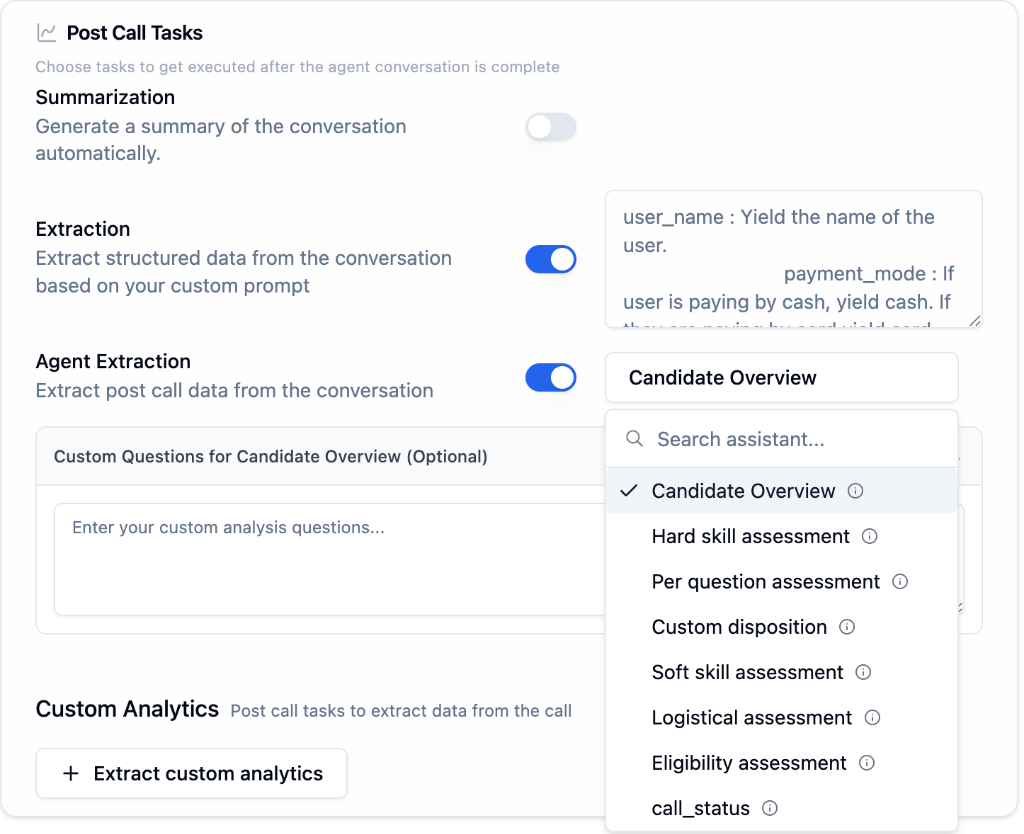
- Summarization
- Extraction
- Agent Extraction
Automatically generate a summary of every conversation. Great for quick review and logging.
Custom Analytics
Create custom post-call tasks to extract specific data points.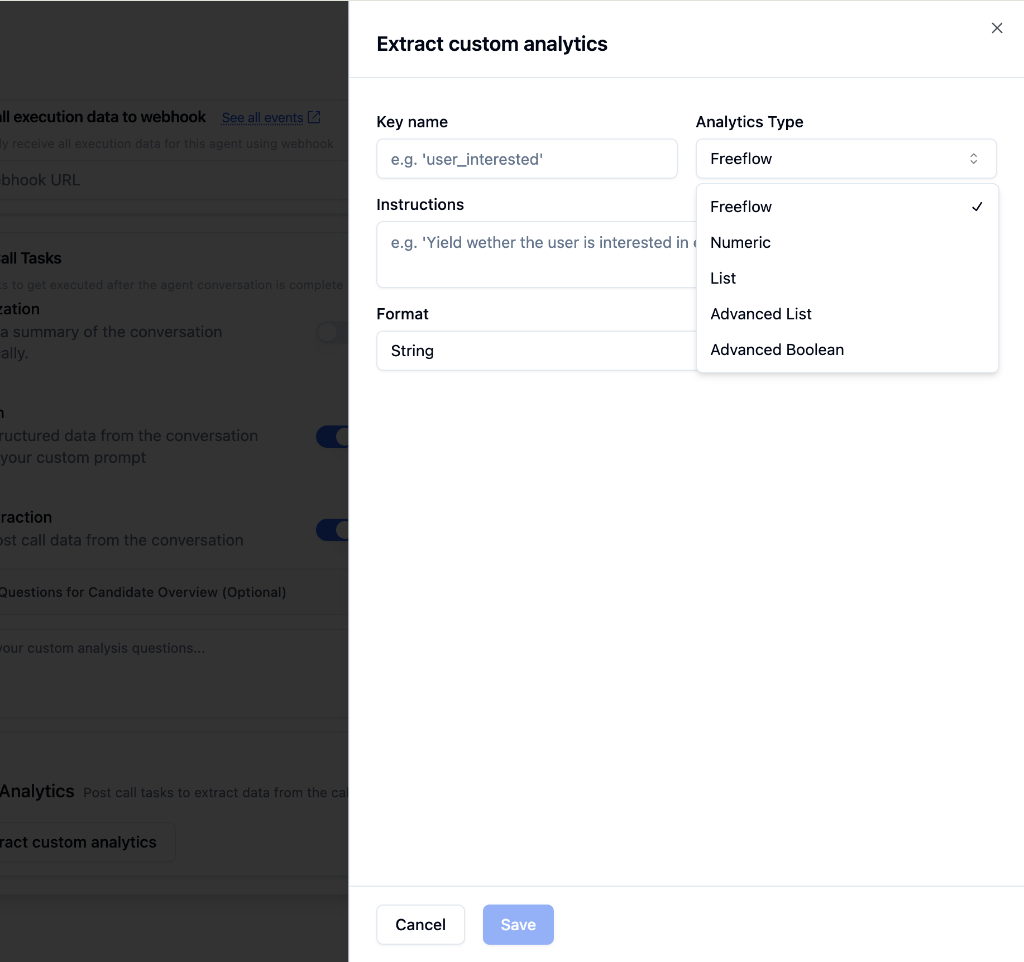
Use Cases
CRM Updates
Automatically update customer records after calls
Lead Scoring
Extract qualification data from sales calls
Compliance Logging
Capture required data points for regulations
Performance Tracking
Analyze conversation outcomes and metrics