

What is the Tools Tab?
The Tools Tab is where you connect external tools and APIs that your language model can call during conversations. This allows the LLM to retrieve real-time data, perform calculations, or trigger actions dynamically.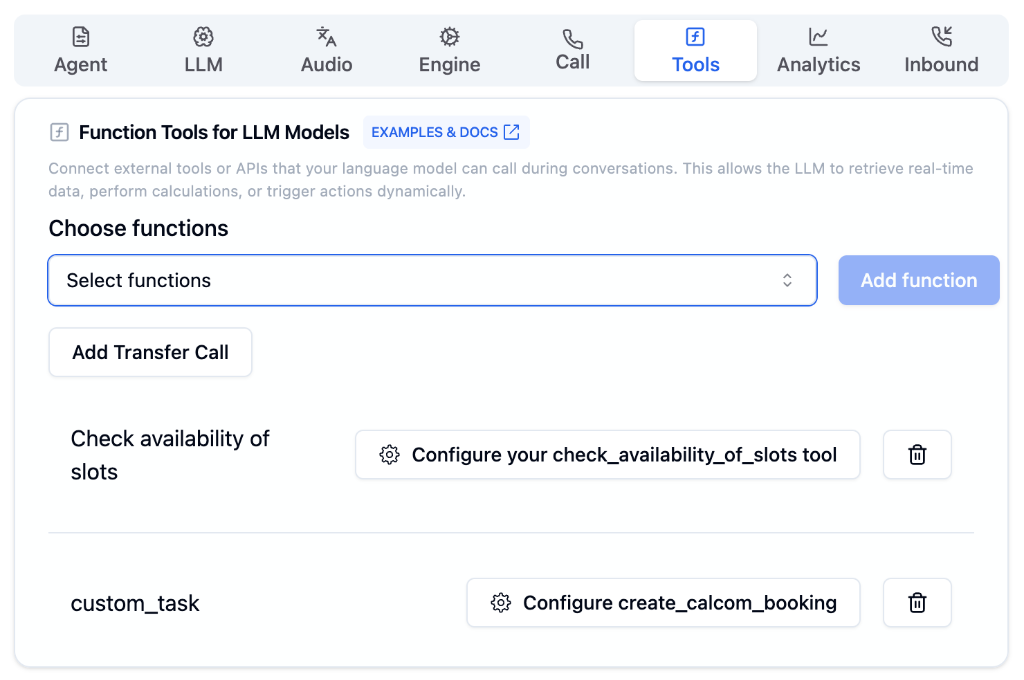
Configuration Options
Choose Functions
Select from pre-built functions or create your own custom tools.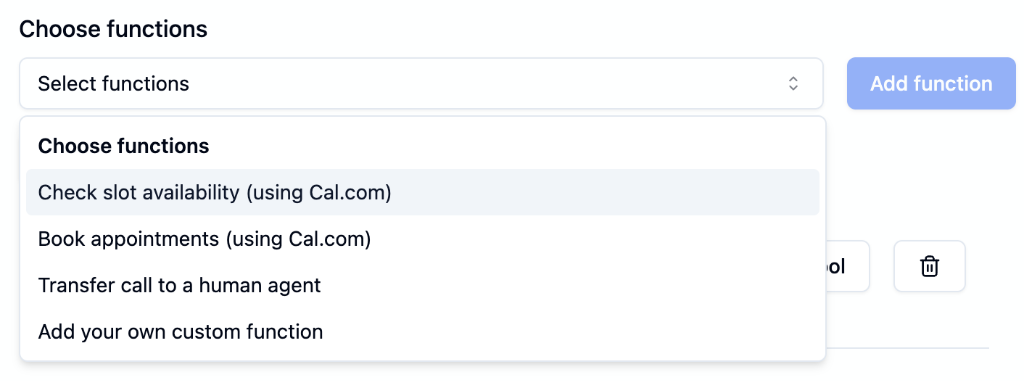
Check Slot Availability
Check available slots using Cal.com integration
Book Appointments
Book appointments directly using Cal.com
Transfer Call
Route calls to human agents or other numbers
Custom Function
Add your own custom API integrations
Add Transfer Call
Transfer Call enables routing calls to human agents or other phone numbers during a conversation. Essential for escalation scenarios where AI needs to hand off to a human.
Managing Tools
Once you add functions, they appear as configurable tool cards:| Element | Description |
|---|---|
| Tool Name | Identifier for the function (e.g., check_availability_of_slots) |
| Configure Button | Click to set up the tool’s parameters and API connection |
| Delete Button | Remove the tool from your agent |
Use Cases
CRM Integration
Look up customer data during calls
Calendar Booking
Schedule appointments in real-time with Cal.com
Order Status
Check order information from your database
Payment Processing
Trigger payment flows securely
Knowledge Retrieval
Query external knowledge bases
Call Transfer
Route to human agents when needed