

Make inbound calls from dashboard
- Navigate to the agent and copy the inbound URL displayed
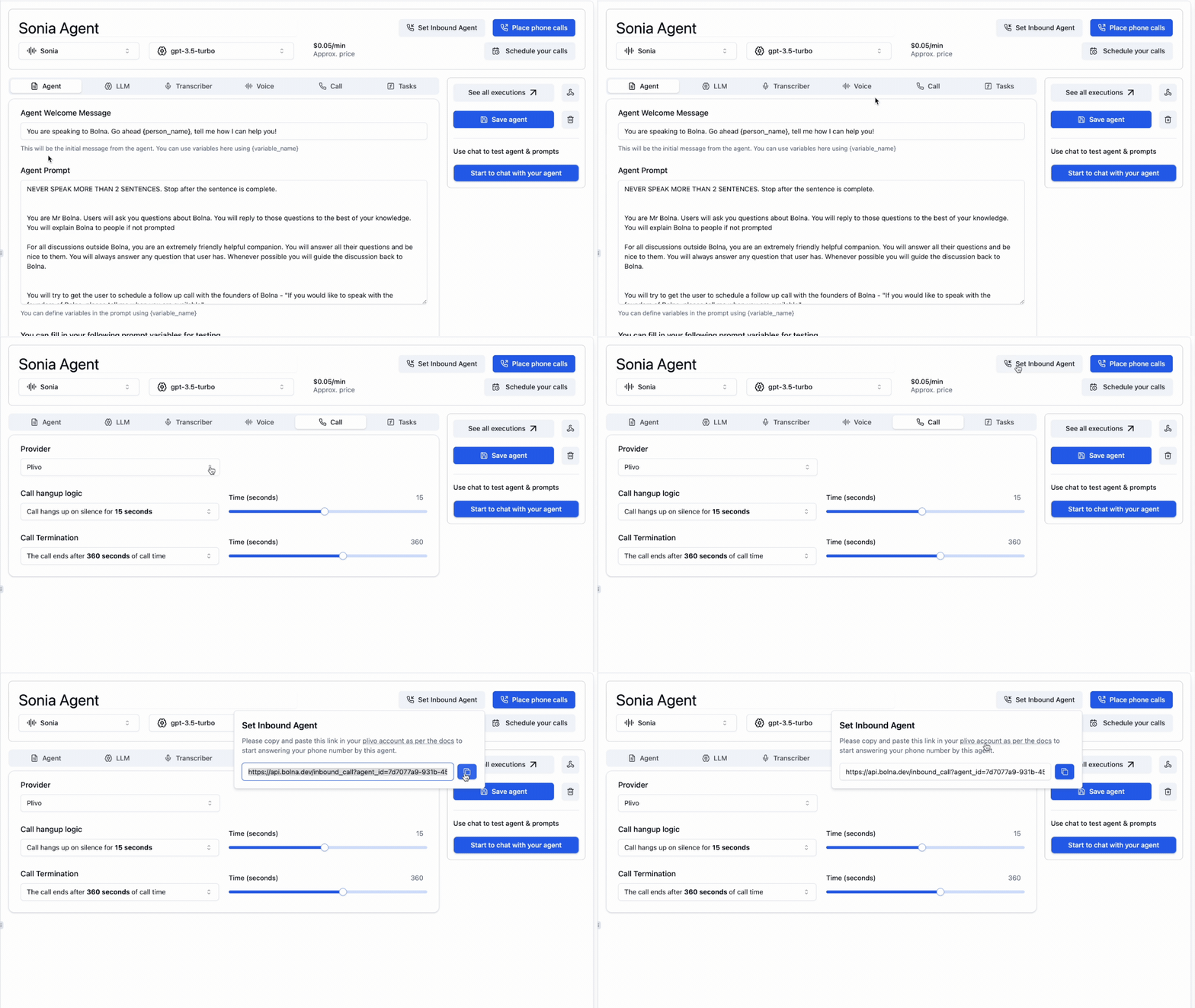
Copy Inbound API URL
- Next, you’ll need to create a
XML Applicationin Plivo Console as illustrated here:
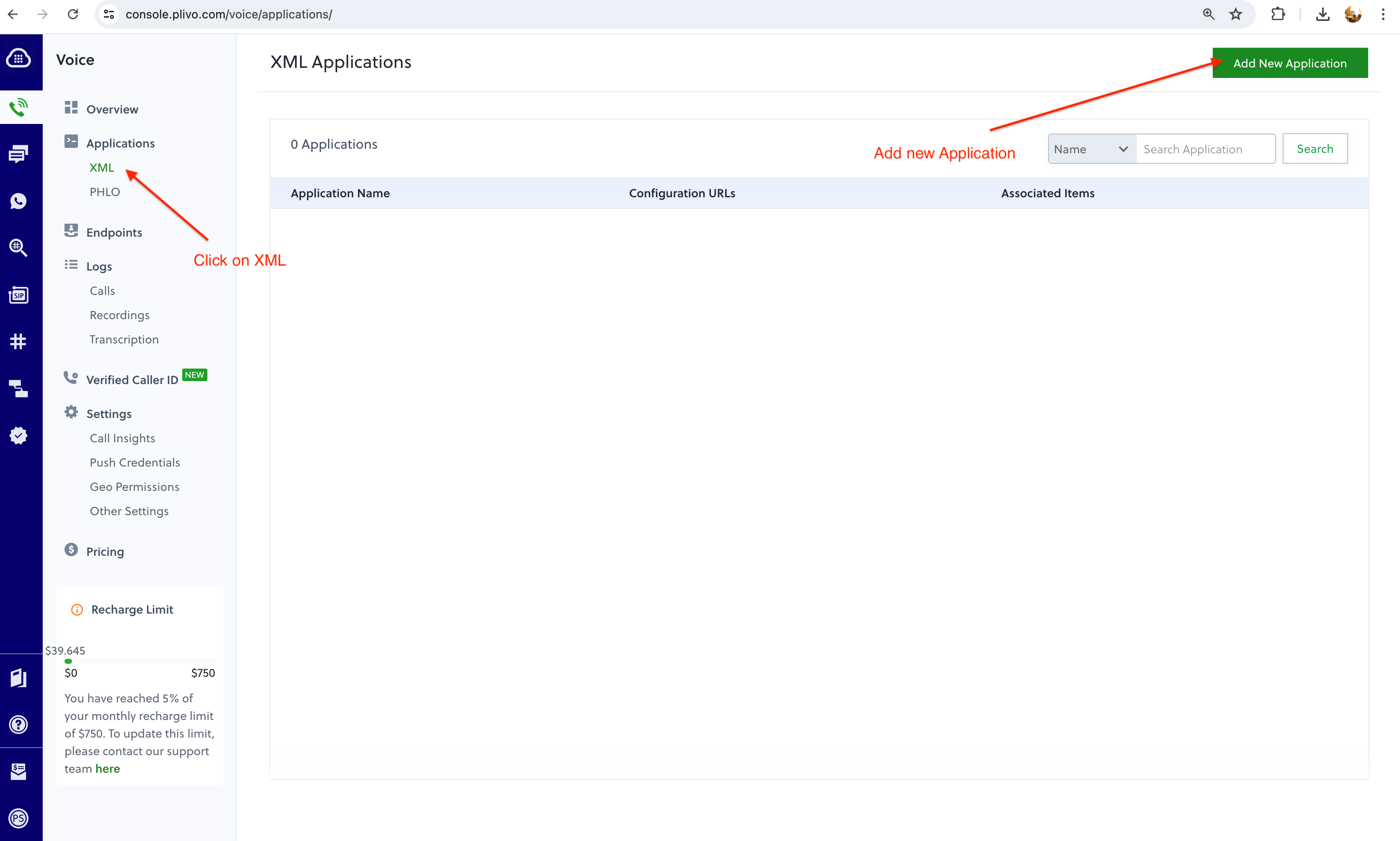
Plivo setup XML Application
- Paste the copied link in Step#1 above in following text boxes and save your Application. Note the Application Name:
Primary Answer URLHangup URL
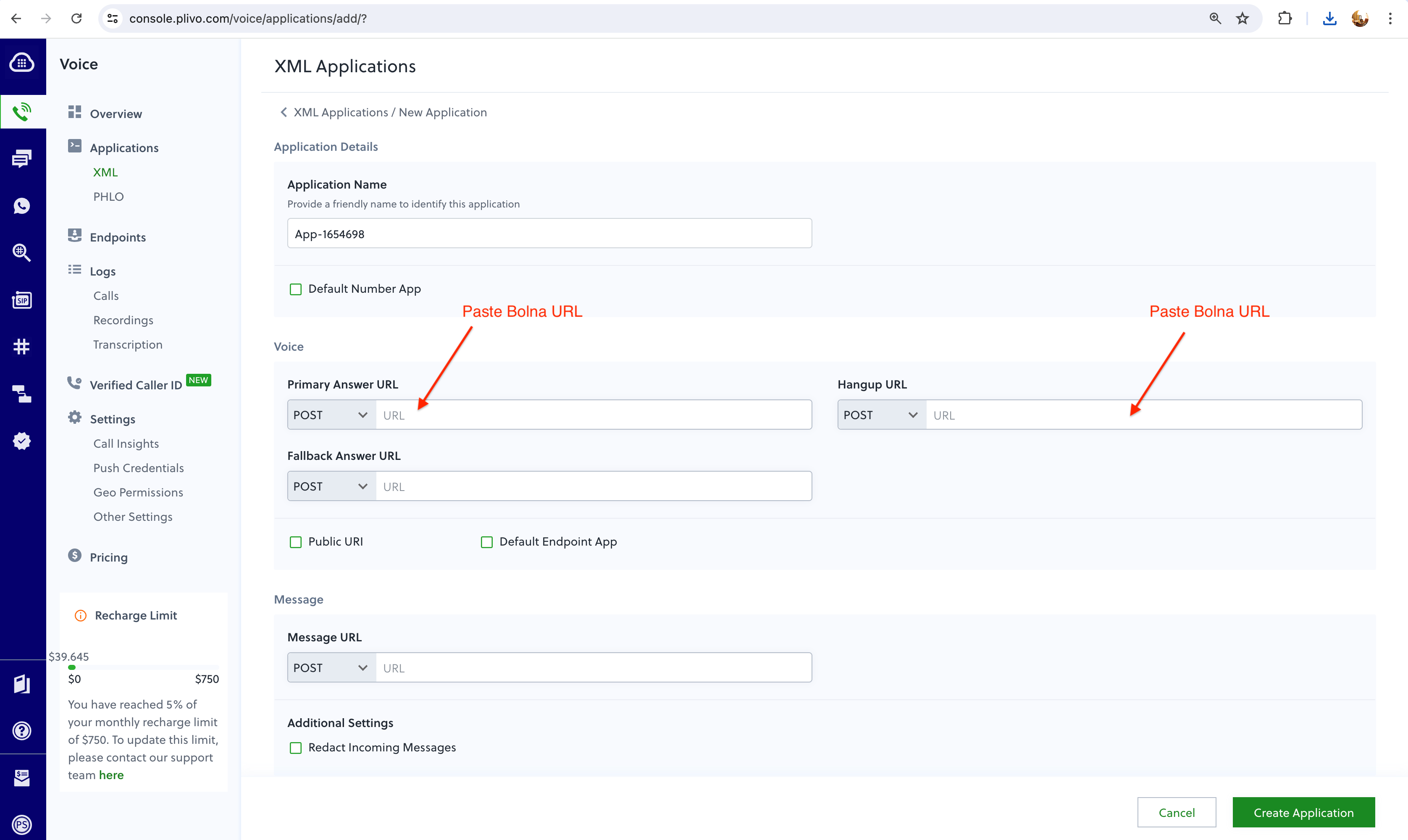
Plivo Bolna inbound setup
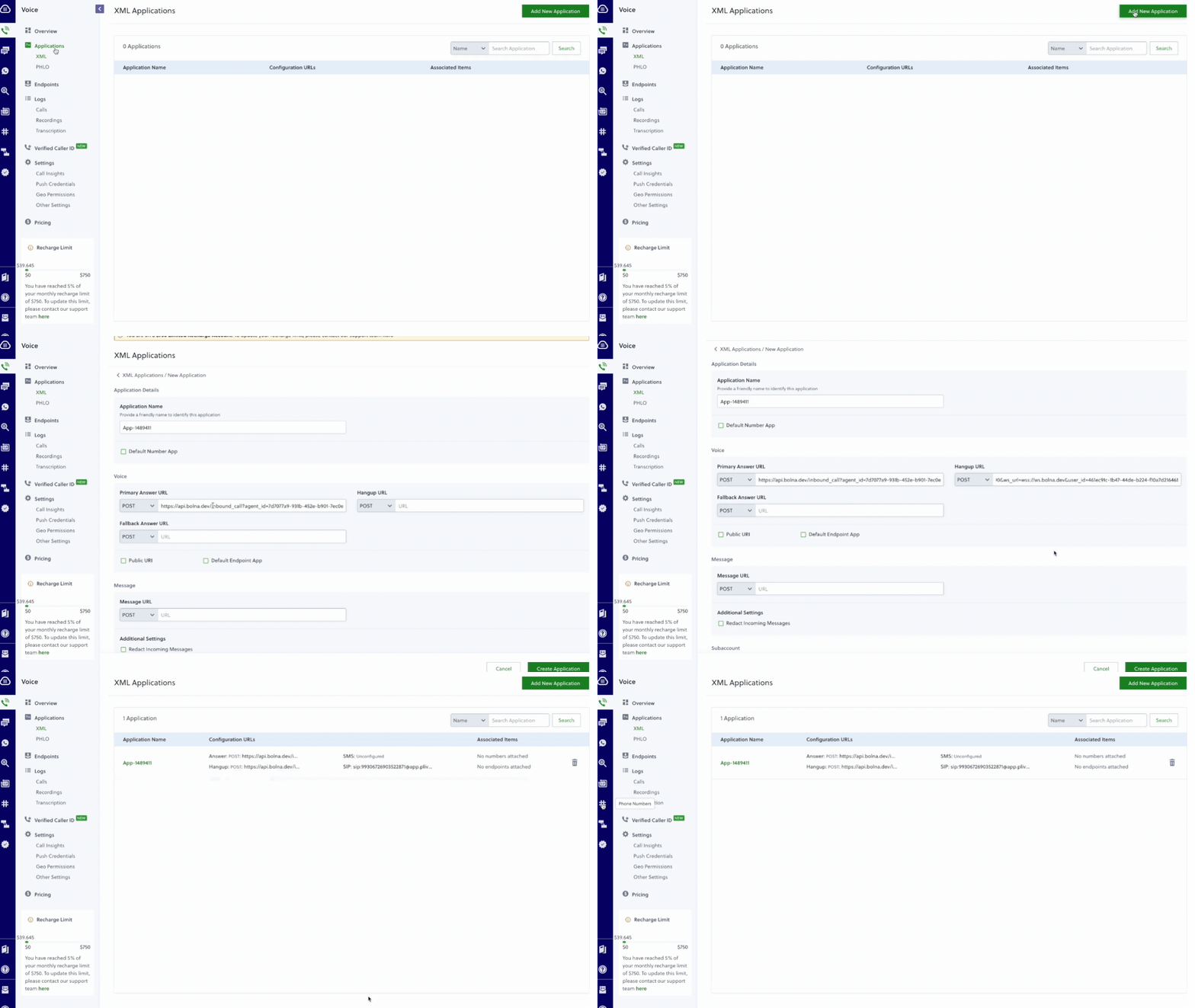
Plivo Bolna inbound setup flow
- Go to your
Active Numbersand select the phone number for which you want to assign the Bolna AI. Select the XML Application in this step and save it by clicking onUpdate Number.
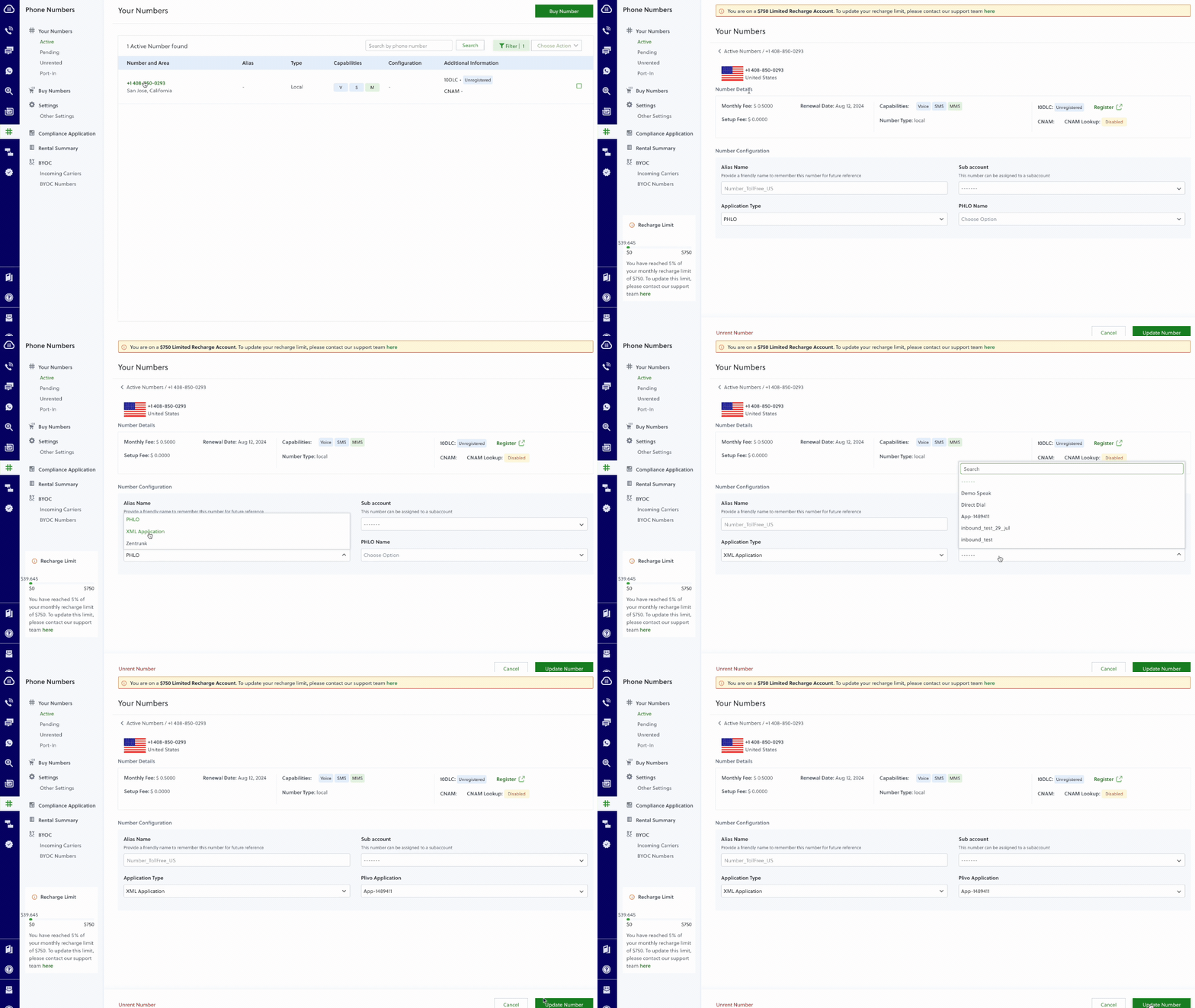
Plivo select incoming number
- Voila! All set. Now try placing a call to the selected Plivo phone number and have your conversation with Bolna AI