

Following are the steps to create a webhook connection
In this tutorial, we will:- Use Bolna’s Make.com Trigger
Watch end of Phone callmodule - Create a new Webhook connection
- Generate a Webhook URL on Make.com
- Use the Webhook URL created by Make.com in Bolna’s voice AI agent
1
Add "Bolna Watch end of Phone call" trigger module to your make.com scenario
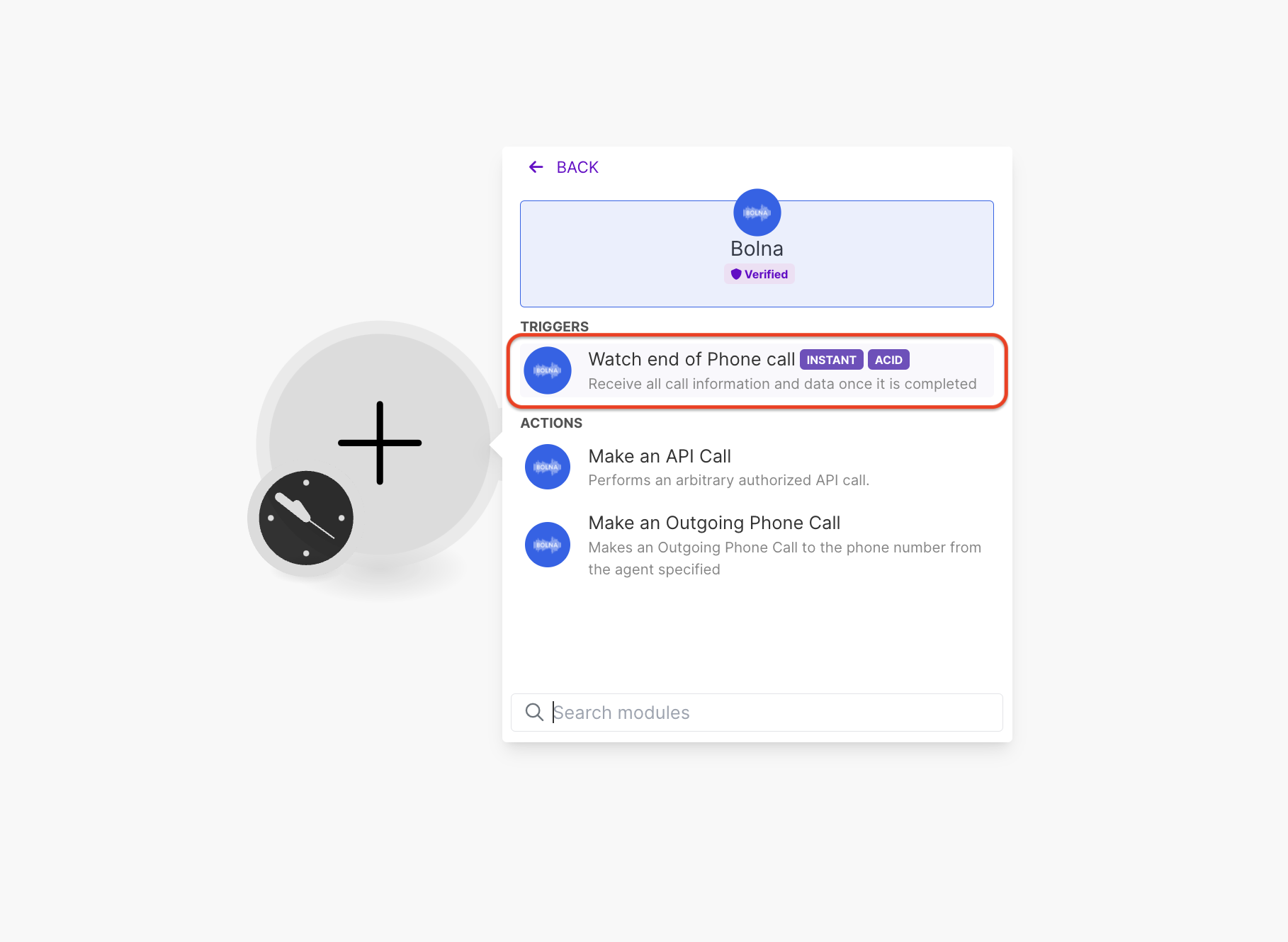
Adding "Bolna Watch end of Phone call" module to make.com
2
Follow steps to create a webhook connection
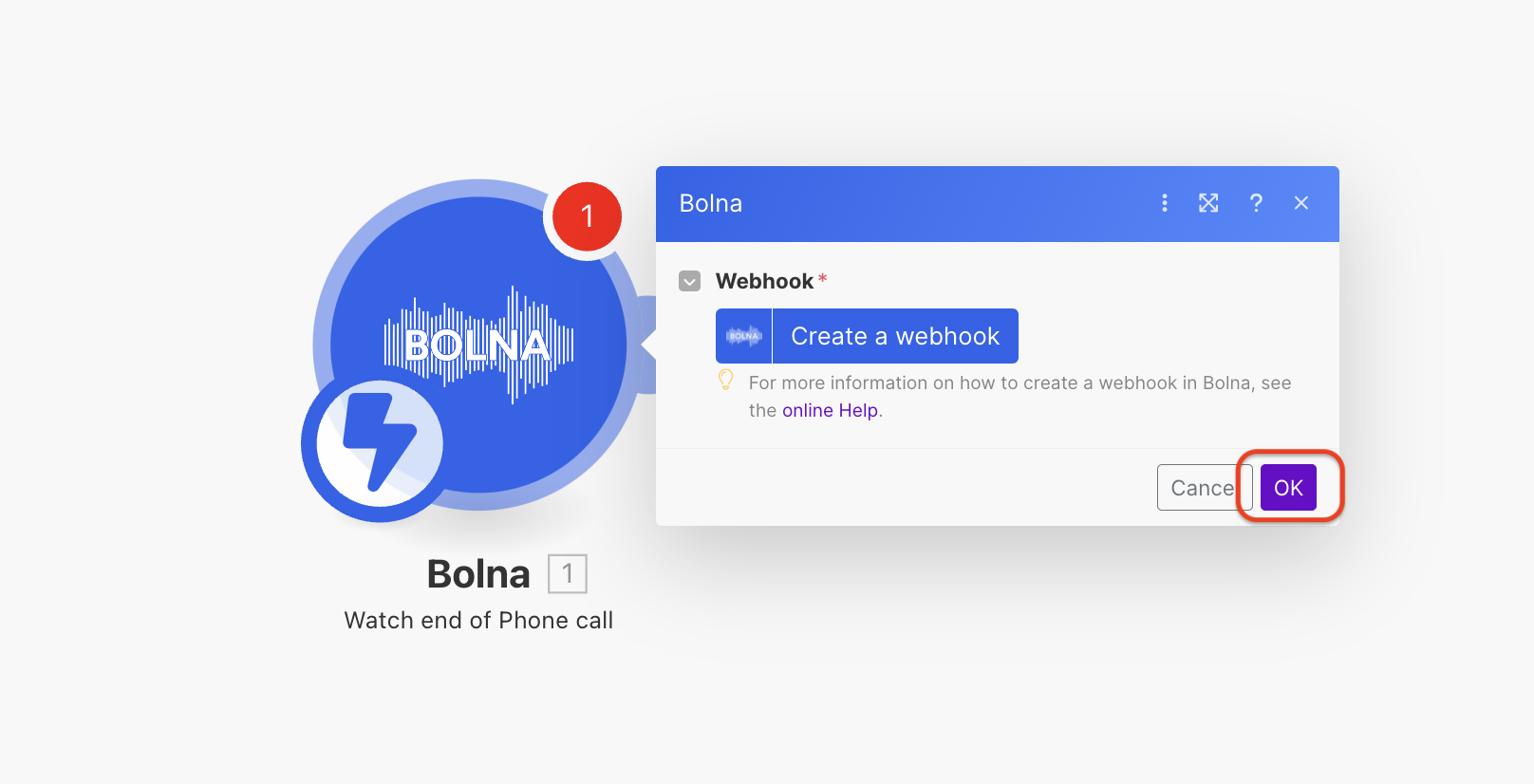
Click the button to proceed with webhook creation
3
Enter a webhook connection name and save it
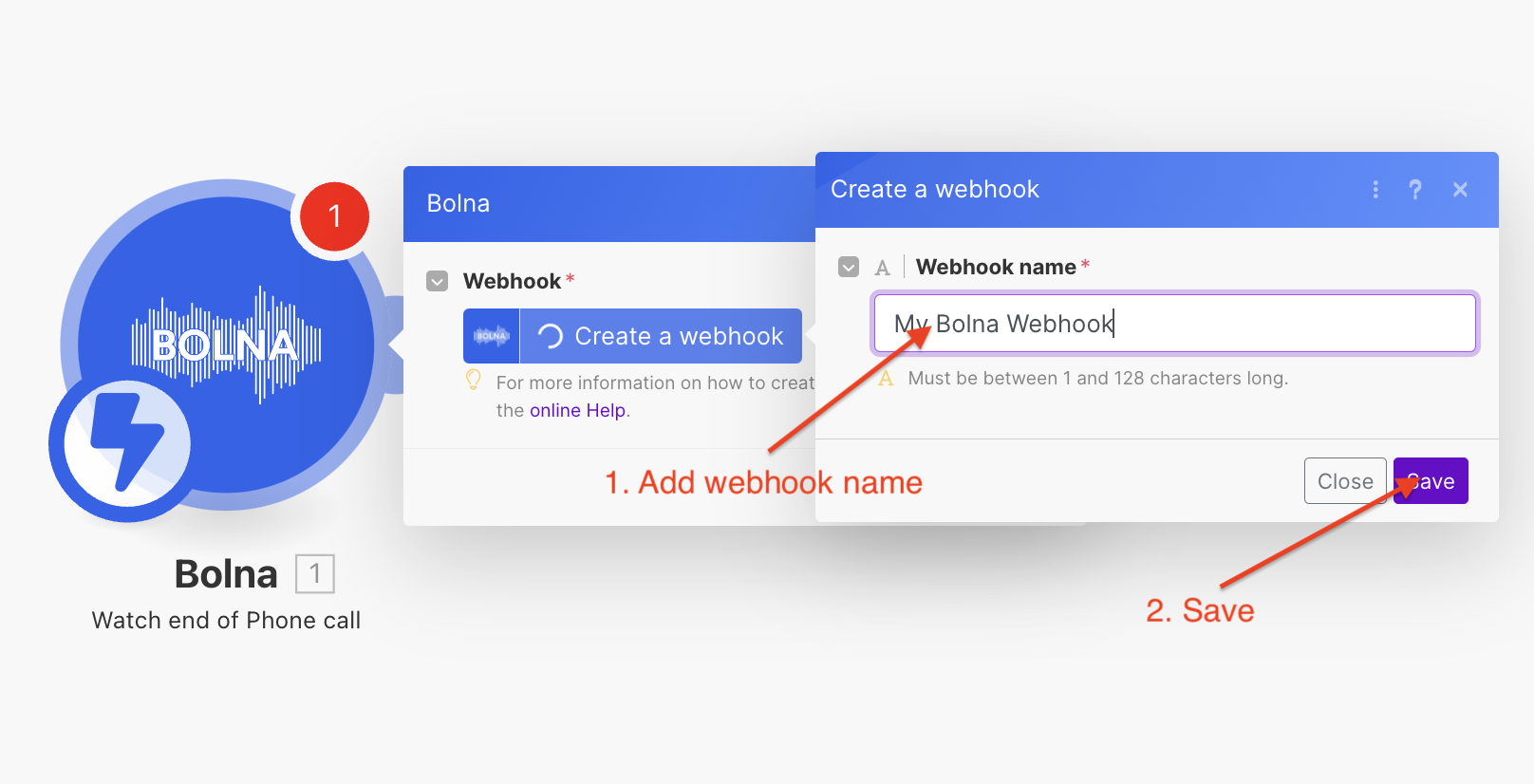
Entering the webhook connection name
4
Copy the webhook URL from the created webhook connection
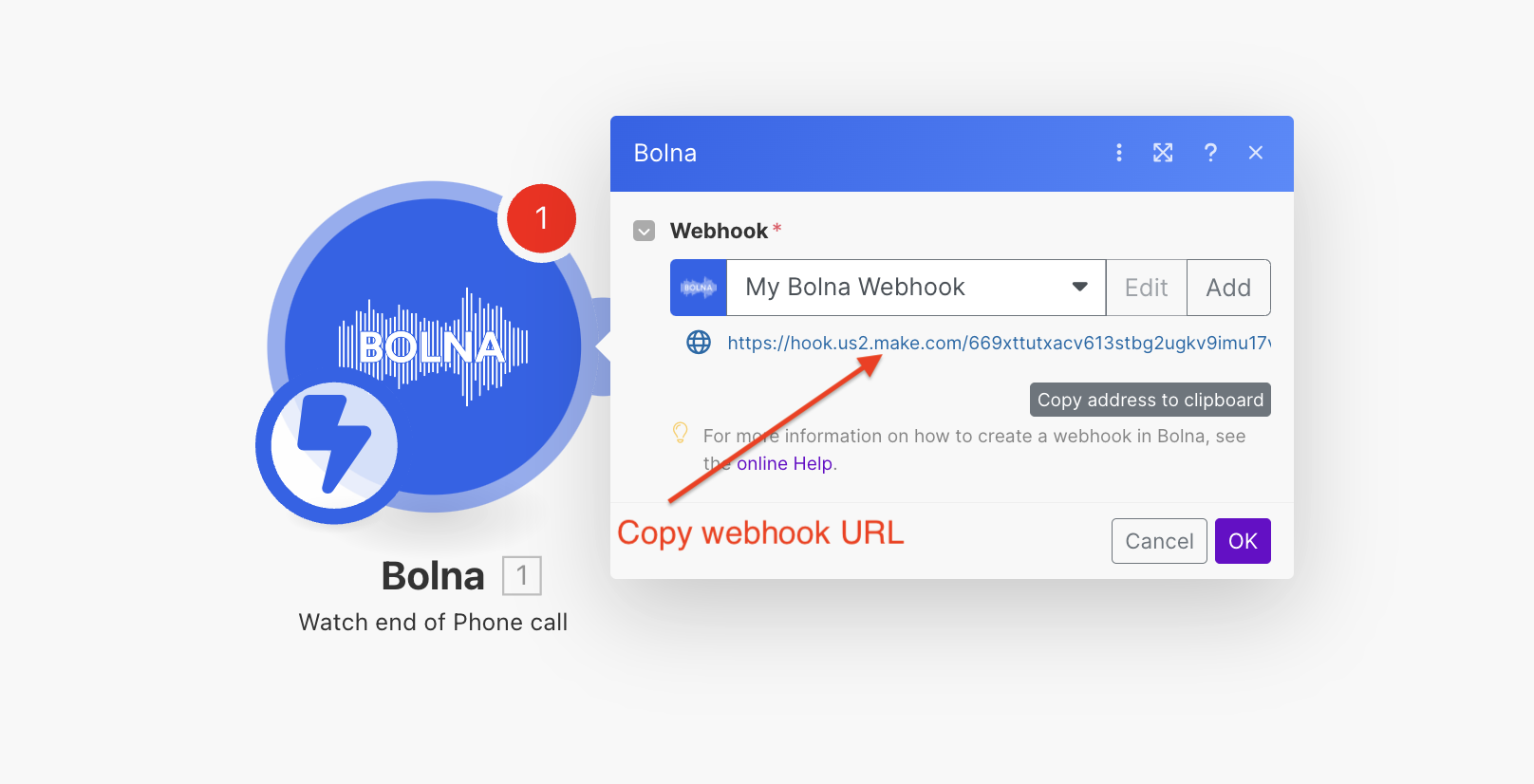
Copy the webhook URL
5
Paste this URL in your agent's webhook and save your agent. This will notify make.com once the call is completed.
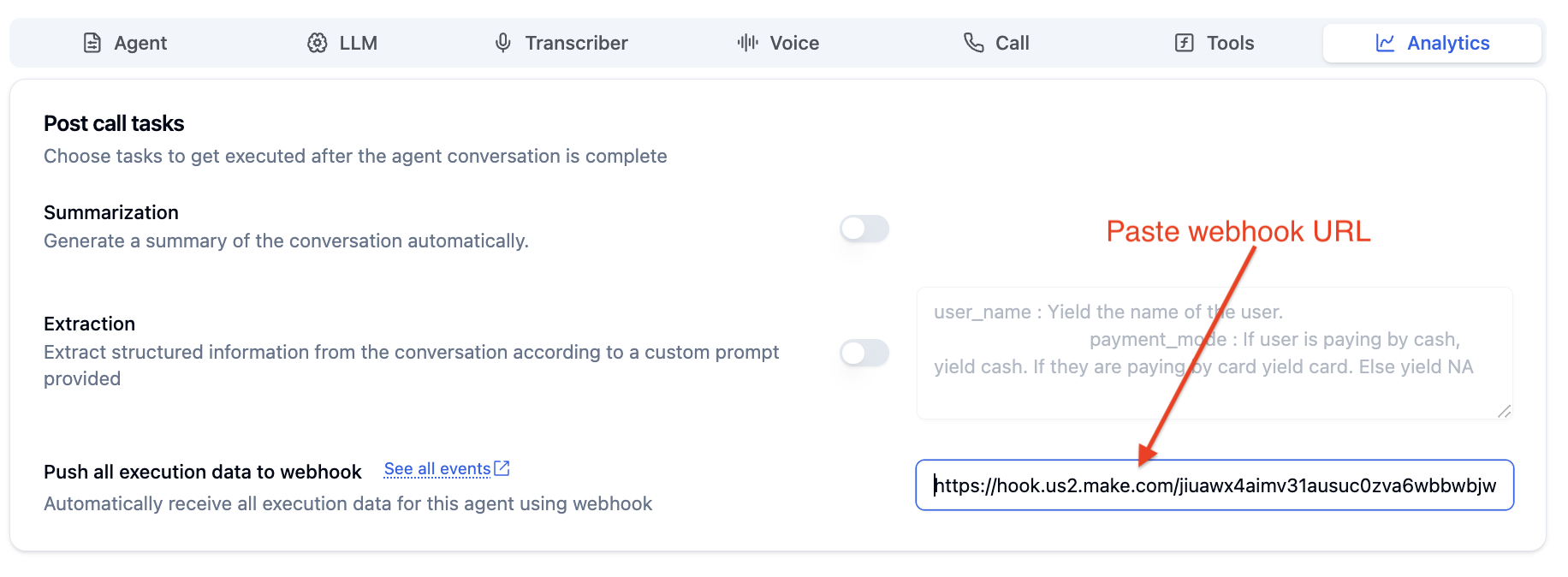
Paste the webhook URL
After completing the above steps, your Bolna Voice AI agent is successfully configured to automatically send phone call information to Make.com.