

bolna, you must include your <bolna_api_key> in the Authorization header of HTTP requests made to the platform with the value Bearer <bolna_api_key>.
Steps to generate your API key:
- Login to the dashboard at https://platform.bolna.ai
- In the left sidebar, expand Developers and open API Keys
- Click the button
Generate a new API Keyto generate a key - Save your API Key
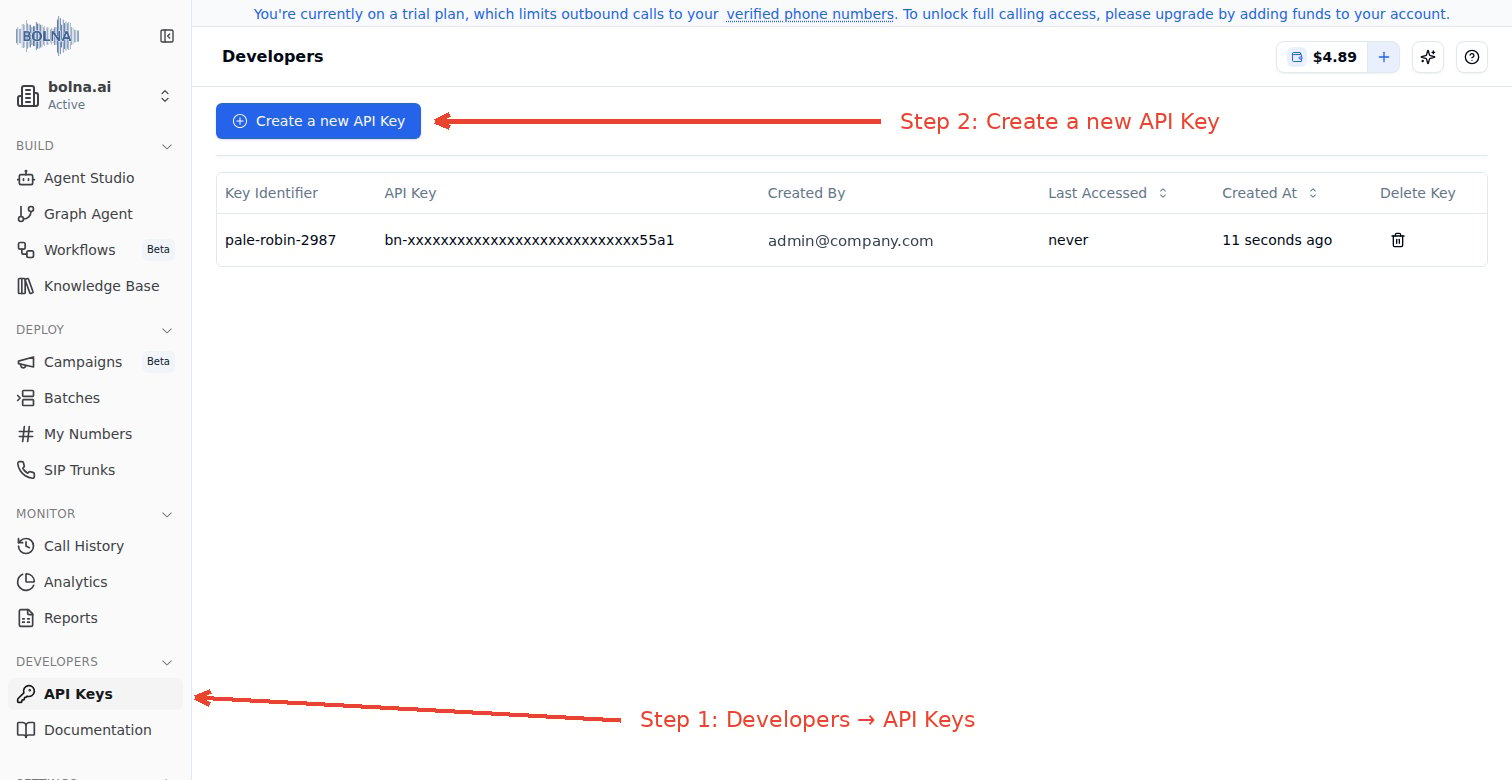
Generate API Keys from the Bolna Platform
The API Key will be shown only once. Hence, please save it somewhere secure.